

Something changed in real estate over the last few years that nobody really talks about.
The way buyers search for homes isn’t one big moment anymore. It’s dozens of small ones — scrolling on their phone, browsing listings on a lunch break, comparing neighborhoods on the couch after the kids go to bed. Weeks or months of quiet activity before they ever pick up the phone.
The agent who shows up consistently during those small moments is the one who gets the call. Not the biggest ad budget. Not the most followers. The one whose website and property search kept showing up with the right listings, the right market data, the right alerts until the buyer was ready.
Most agents have the tools to do this right now. The problem isn’t the tools. It’s that nobody ever connected the dots on how they work together as one system.
Table Stakes Is Just the Starting Line
Having a website and property search is the cost of entry in 2026. Every agent has that. It means you exist online, but it doesn’t necessarily mean that you’re winning.
Think of it like getting your real estate license. The license doesn’t close deals. It just lets you in the building. What you do once you’re in the building is what determines whether you grow or stay flat.
Your website works the same way. Having one is the bar. But having a website that creates an experience, that makes buyers want to come back, that brands you as the go-to agent in your neighborhoods — that’s something completely different. And the gap between agents who have a website and agents who run one is getting wider every month.
Webinar: How an agent website and property search generate business
Wednesday, June 24th | 1PM CT | 45 min + Q&A
What is IDX? (And Why It Matters for Websites More Than You Think)
IDX stands for Internet Data Exchange. It’s the agreement between your MLS and you that allows real, live listing data to show up on your website. Without IDX:
- Your real estate website has no property data
- Visitors have no reason to come back and browse
- You’re one more brochure in a sea of informational sites
IDX is what makes your website a true destination. It puts the full MLS search, every active listing in your market, updated daily, on your domain, under your brand, where you control the experience.
The Big Picture: Many agents think of IDX as simply a property search tool. And while search is an important part of it, IDX does much more than display listings on your website.
What Does an IDX-Powered Website Do?
At first glance, property search might seem like a simple website feature. In reality, it’s the foundation of a system designed to attract visitors, turn them into contacts, and keep them engaged with your business over time.
An IDX-powered website helps you:
- Capture visitors. As people search for homes on your website, lead capture prompts can encourage them to register. What starts as an anonymous website visit becomes a known contact in your database.
- Track behavior. Once someone registers, you can see how they interact with your site—what neighborhoods they search, which listings they view, how often they return, and what properties they save. This provides valuable insight into their interests and intent.
- Nurture relationships automatically. Saved searches and listing alerts keep contacts engaged long after their first visit. Instead of relying on one-time interactions, your website stays connected with potential buyers through relevant property updates delivered automatically.
- Drive repeat visits. Every listing alert, saved search update, and market report gives contacts a reason to return to your website. Those return visits create additional opportunities for engagement, lead intelligence, and conversion.
- Build your database. Every new registration adds another contact to your owned audience—people you can continue to engage through your website, CRM, email marketing, and follow-up activities.
Property search may be the feature visitors notice first, but its real value lies in everything that happens afterward. The most effective real estate websites don’t just help people find homes.
Instead, they help agents build relationships, generate insights, and create a predictable pipeline of future business.
The Website Experience That Makes Buyers Stay
Table stakes gets you in the building. The experience is what makes people stay.
When a buyer lands on your site, they make a decision in seconds. Not about your listings — about whether this site is worth their time. Whether it feels professional. Whether it reflects someone who knows their market. Whether it’s worth typing in their email.
The best agent websites don’t look like templates. They look like a brand.
Your Homepage Tells Your Story
When a buyer lands on your site, they should immediately know three things: who you are, where you work, and why you’re the agent for that area.

Lake Tahoe. The area IS the brand. A buyer landing here knows exactly who they’re working with and where this agent lives and breathes real estate.
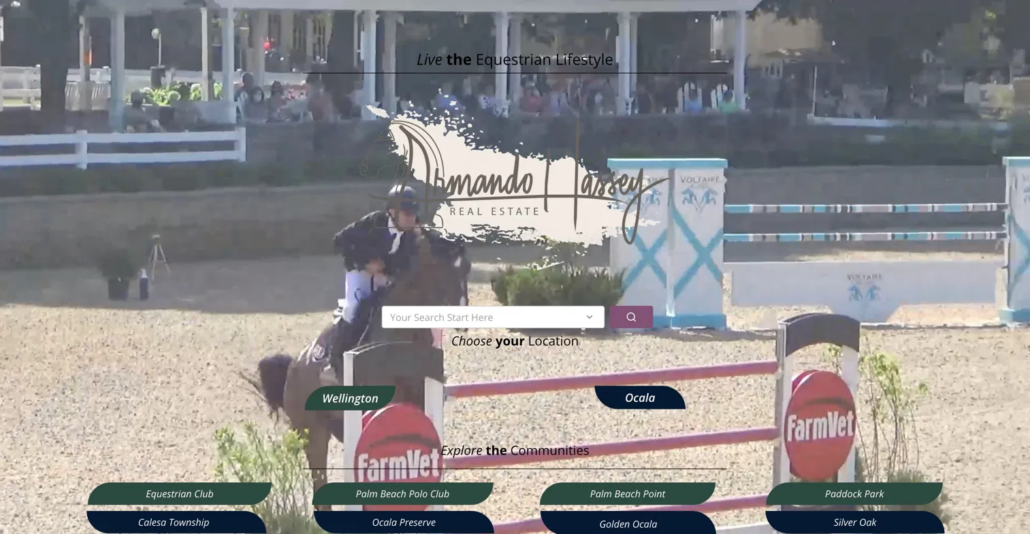
Equestrian lifestyle. Search front and center. Communities immediately visible. A buyer interested in Wellington or Ocala is one click away from exactly what they’re looking for.
Your homepage isn’t a placeholder. It’s your first impression — and for many buyers, it’s the only impression you get.
Community Showcase
Your neighborhoods should be front and center on your homepage. Each one links directly to a dedicated community page with listings, market stats, and local insights. Buyers see where you work the moment they arrive — and search engines see it too.
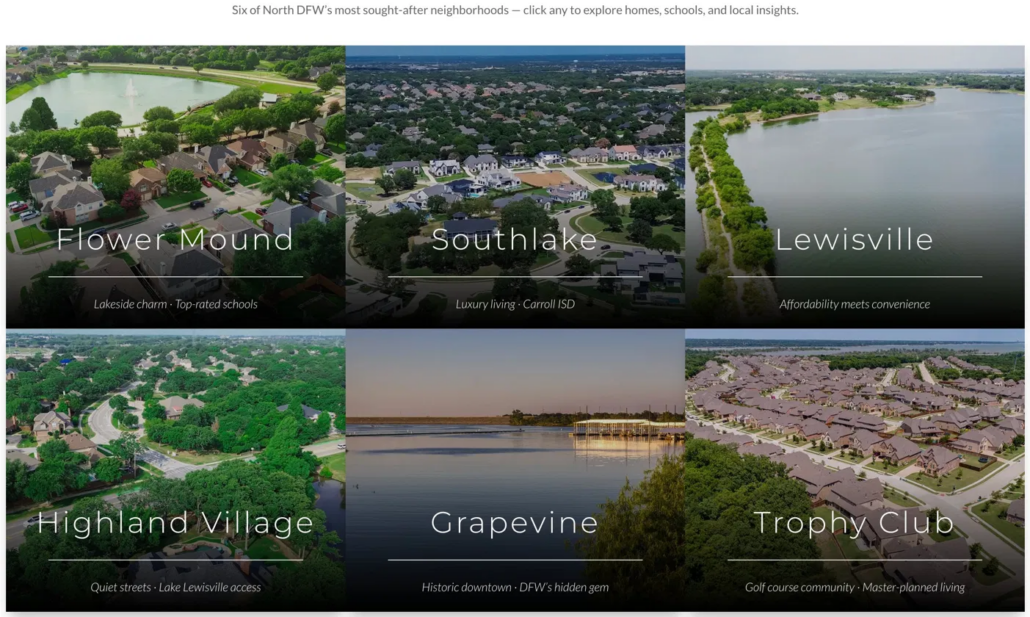
Every community name, description, and link builds SEO and AEO value while giving buyers one-click navigation to the areas they care about. This is how you position yourself as the local expert before anyone reads a single bio.
AI-Powered Smart Search and Interactive Map
This isn’t a basic search bar with three dropdown filters. iHomefinder’s Smart Search lets buyers search the way they actually think.
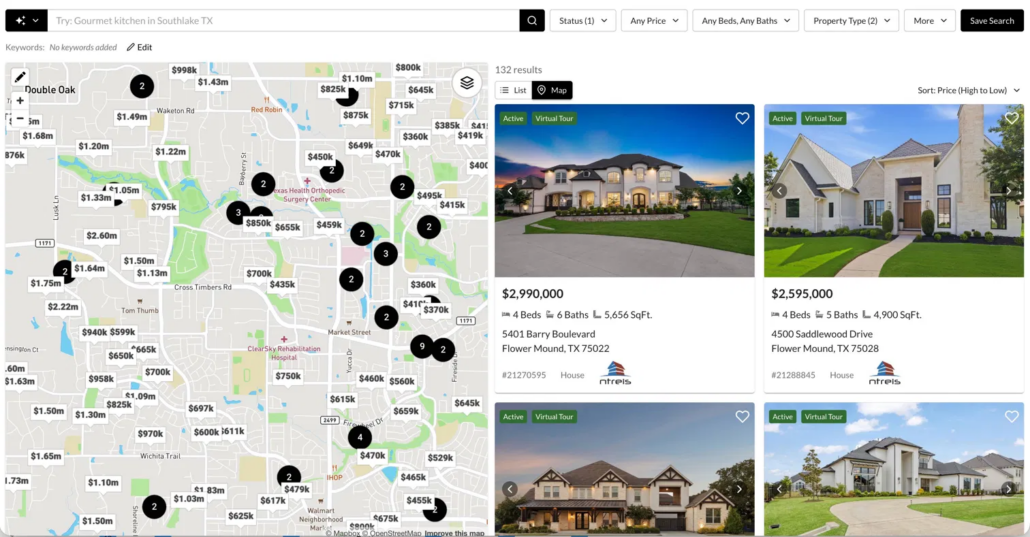
Type “gourmet kitchen in Southlake TX” and get results. Search “waterfront” or “pool home” or “horse property” and find what matches. Combine that with an interactive map showing price overlays, cluster views, and polygon drawing to search custom areas — plus advanced filters for price, beds, baths, property type, and more.
List view. Map view. Save search with one click — which kicks off automated listing alerts the moment they do.
This is the search experience that keeps buyers on your site instead of going somewhere else. When searching your website feels better than searching anywhere else, you win.
Built-In Tools That Keep Buyers Engaged
Every tool a buyer needs during their search should live on your website, not someone else’s.

Mortgage calculators, home valuation tools, open home finders — each one is another reason for a buyer to stay on your site, another interaction that builds familiarity with your brand, and another page view feeding behavioral data into your CRM.
Your Team, Your Brand, Your Personality
Your website should reflect who you actually are — not just what you do.
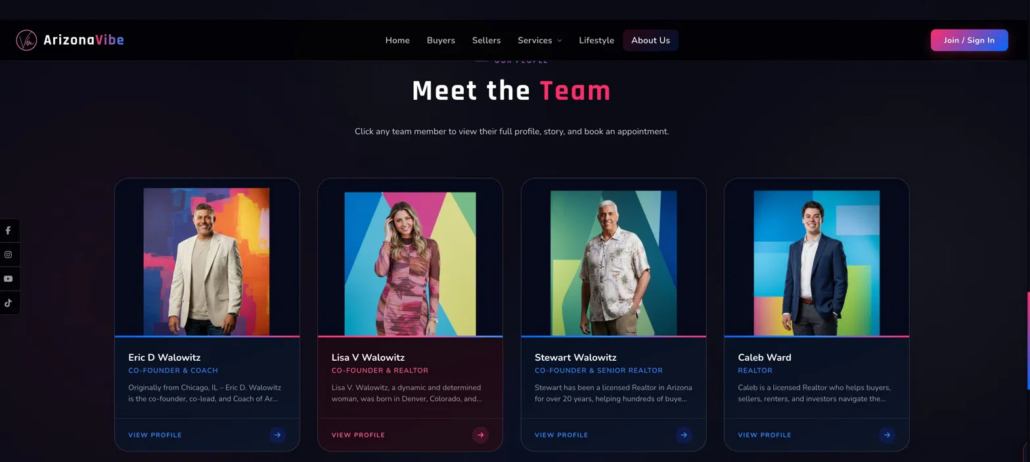
A team page isn’t just headshots and titles. It’s how buyers and sellers decide if they want to work with you. When your brand comes through in the design, the energy, and the personality, visitors connect with your team before the first conversation ever happens.
This is what a website looks like when it’s built around who you are. Every page reinforces the brand. Every interaction feels intentional. And underneath all of it, the engine that captures visitors, tracks behavior, and brings people back is running.
The Engine Running Behind Every Visit
The website experience might be what gets people in the door. What happens next is where the real value lives.
Underneath your website and property search is an engine most agents don’t know they have.
It’s the system that captures visitors, tracks what they care about, and brings them back automatically. When this engine is running, your website isn’t just a place people visit once. It’s a machine that builds relationships on your behalf.
Here’s how each piece works.
Property Search Pages
This is the front door to your website, and it’s the primary reason most visitors arrive in the first place. They want to search for homes, explore neighborhoods, compare listings, and see what’s available in the market.
Modern consumers expect property search to be fast, intuitive, and easy to access. If search is difficult to find or requires multiple clicks to get started, many visitors will simply continue their search elsewhere.
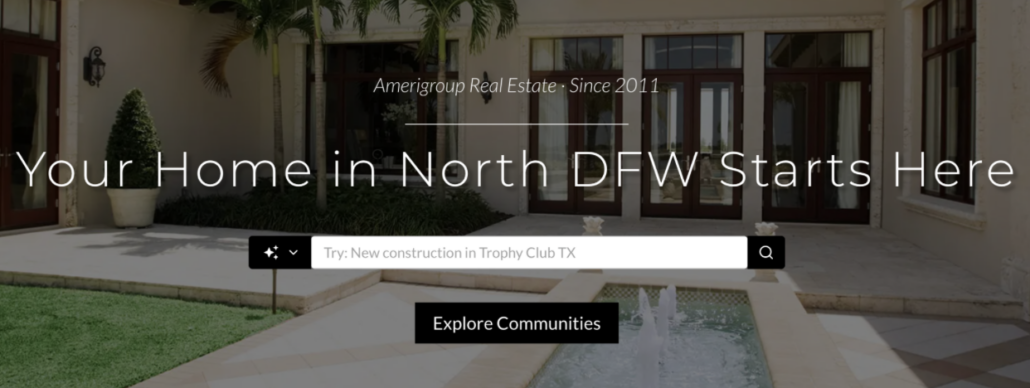
That’s why property search should be one of the most visible elements on your website. Whether it’s a map search, criteria-based search, or quick search widget, visitors should be able to start searching within seconds of landing on your site.
Here’s a simple test: how many clicks does it take for someone to begin searching properties on your website? If the answer is more than one, you’re likely losing potential leads before they ever view a listing.
Search shouldn’t be buried in your navigation. It should be one of the first things visitors see—and one of the easiest actions they can take.
Listing Detail Pages
Listing detail pages are where visitors move from casual browsing to active exploration. These pages give buyers the information they’re looking for—property photos, pricing, features, maps, neighborhood details, and more.
They’re also some of the most valuable pages on your website from a lead-generation perspective. When someone takes the time to click into a specific property, view multiple photos, or return to the same listing more than once, they’re showing a higher level of interest than someone casually scrolling through search results.
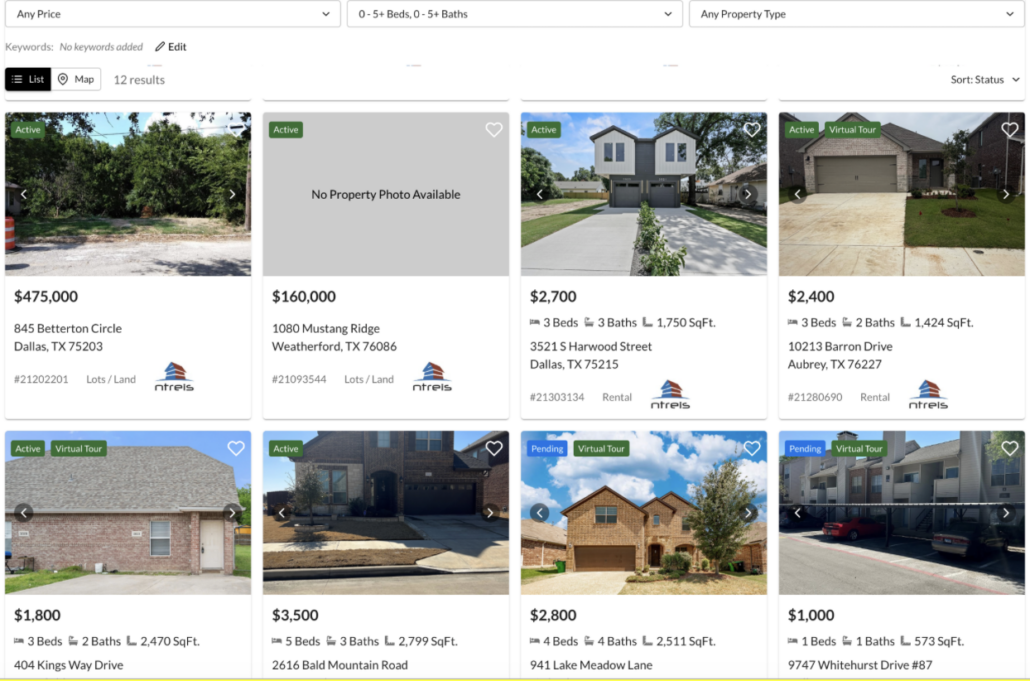
Every listing a visitor views helps paint a clearer picture of what they’re looking for. Over time, those interactions provide valuable insight into their preferences, helping you better understand where they are in their home search journey.
Lead Capture and Registration
Lead capture is the point where an anonymous visitor becomes a known contact in your database. It’s one of the most important conversion points on your website—and one of the most overlooked.
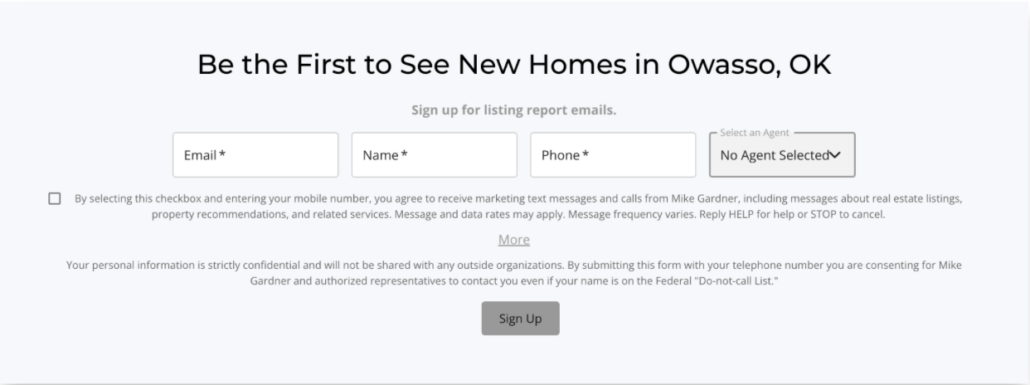
The settings here matter more than many agents realize. If registration is required too early, visitors may leave and continue their search elsewhere. If lead capture is too passive—or turned off entirely—people can browse listings, find what they need, and leave without you ever knowing they were there.

The goal is to strike the right balance. Let visitors explore enough to see value, then invite them to register so they can save properties, save searches, and receive listing alerts. They’re getting a better search experience, and you’re gaining the opportunity to continue the relationship.
A well-configured lead capture strategy helps ensure more of your website traffic turns into future opportunities.
Saved Searches
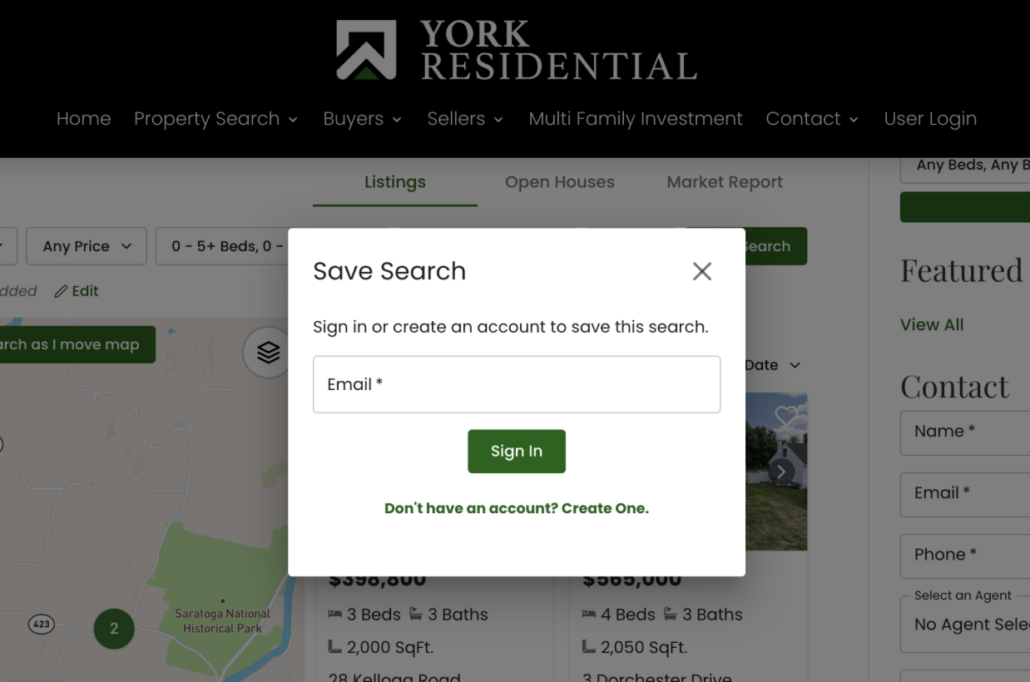
When a registered contact saves a search, they’re doing more than setting up a convenience feature—they’re telling you exactly what they’re looking for.
Whether it’s three-bedroom homes under $450,000 in a specific ZIP code or condos in a particular neighborhood, a saved search provides valuable insight into a buyer’s preferences and priorities. It’s intent data you didn’t have to collect through a form or phone call.
Saved searches also play an important role in keeping contacts engaged. Once a search is saved, it can trigger automated listing alerts whenever new properties match the buyer’s criteria.
In many ways, a saved search is the bridge between a visitor’s first website session and an ongoing relationship with your business.
Listing Alerts
Here’s how it works. A contact saves a search. From that moment forward, every time a new listing hits the MLS that matches their criteria, they get an automated email. Not a generic blast. A personalized email with properties that match what they told you they want, branded to you, linking back to your site.
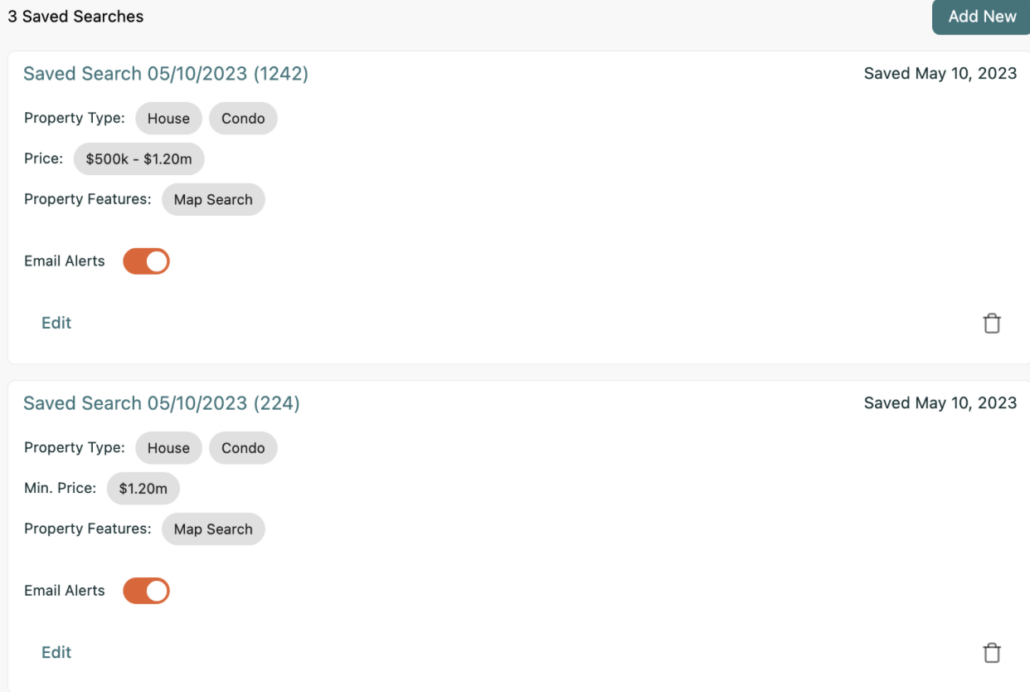
One saved search creates months of automated, relevant follow-up. No manual effort. No remembering to “check in.” The system does it for you.
Multiply that across a few hundred contacts and you have a traffic machine running while you’re at a closing, showing a house, or spending time with your family.
This is what agents mean when they talk about wanting something they can “set and forget.” Listing alerts are exactly that.
Saved Favorites and Property Organizer
As contacts save listings, compare properties, and track status changes, they’re providing valuable signals about where they are in their home search journey.
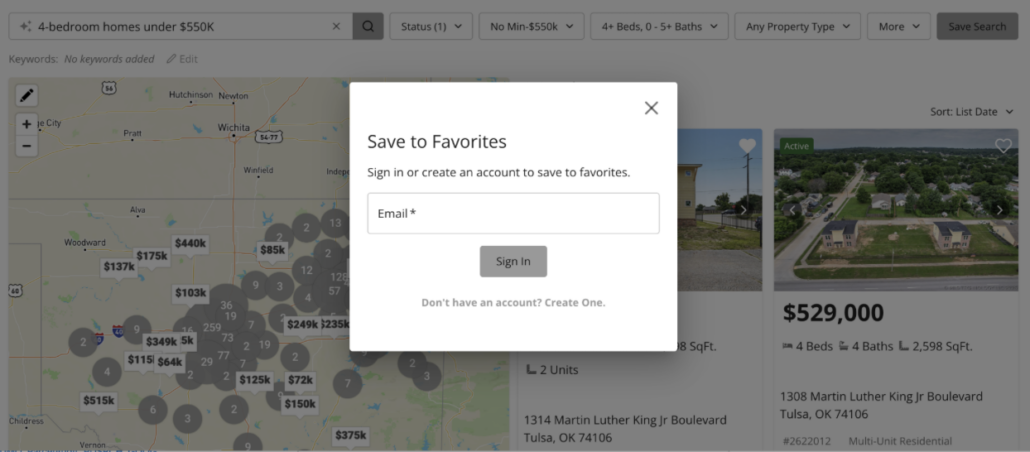
These actions often indicate a higher level of engagement than a simple property search. Someone who is organizing favorites, revisiting listings, and monitoring properties over time is actively evaluating options and narrowing their choices.
The Property Organizer gives both buyers and agents a place to keep track of those activities. For agents, it provides visibility into the homes a contact is most interested in and the types of properties that are capturing their attention.
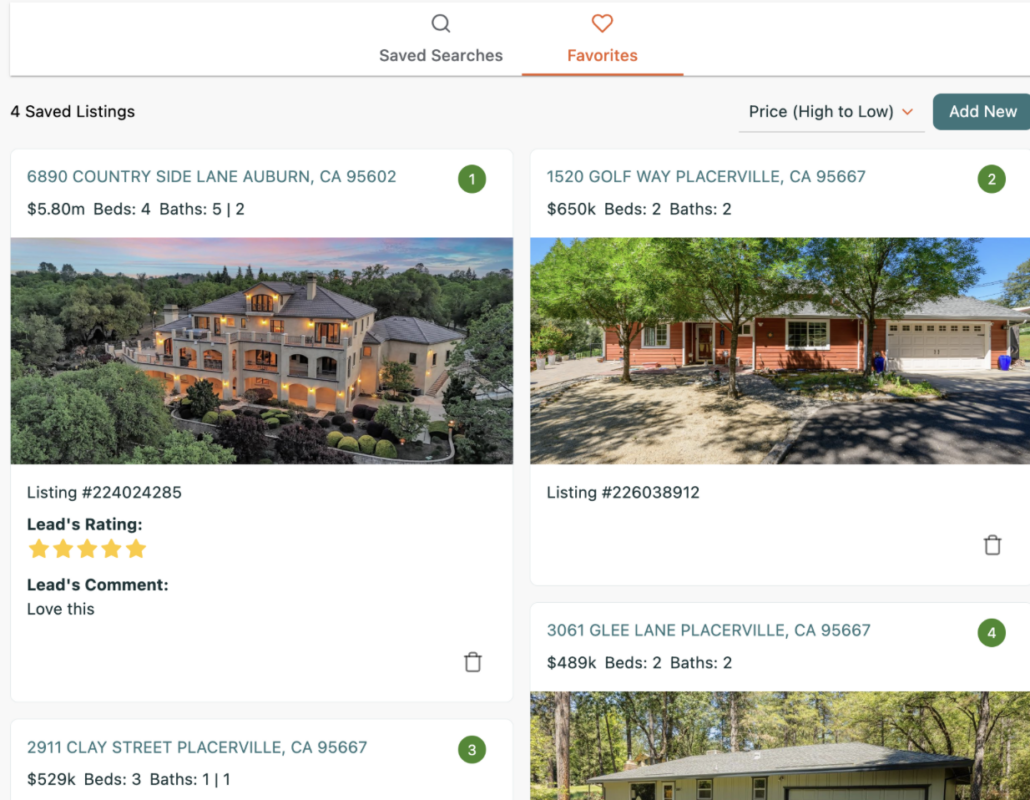
When viewed alongside saved searches and website activity, this information can help you identify which contacts may be getting closer to making a move.
How These Pieces Work Together as a System
It’s easy to think of these as separate features: property search, lead capture, listing alerts, CRM activity, and saved favorites. In reality, they’re all part of a connected system designed to turn website visitors into long-term opportunities.
A visitor arrives on your website and begins searching properties. They find listings they’re interested in and decide to register. They save a search, which triggers automated listing alerts. Those alerts bring them back to your website again and again, where they continue viewing properties, saving favorites, and engaging with your content.
Along the way, your system captures valuable behavioral data. You can see what they’re searching for, which properties they’re viewing, how often they’re returning, and how their activity changes over time. That insight helps you identify when a contact may be becoming more serious and when it may be the right time to reach out.
Every interaction happens on your website, under your brand, building a database and audience that you own and control.
What Do Most Agents Miss?
Most agents think about marketing in one direction: I create content, that creates traffic, traffic creates leads. And that’s true. But it’s only half the picture.
The other half is this: your leads create future traffic.
Every contact in your database is a recurring visitor. They come back through listing alerts. Through market reports. Through saved searches. Through direct visits when they think about real estate and your name is the one they remember. A database of 1,000 engaged contacts generates thousands of site visits per month without you doing anything new.
That means your database isn’t just a list of people to call. It’s a traffic source. And the bigger your database gets, the more traffic you generate, the more engagement you see, the more deals you close. It compounds.
But it only compounds if your website is capturing new contacts. If the foundation is broken, the database stays flat, the traffic stays flat, and the deals stay flat. You’re stuck doing the same volume year after year, hustling for every deal, relying on referrals and hoping the phone rings.
This is the real difference between agents who have random months and agents who have consistent, predictable closings. The second group built this foundation. Most of them can’t articulate it this way. But it’s exactly what they did.
And everything else in this series, market pages, lead intelligence, automation, content strategy, your web experience, builds on top of this. Without the foundation working, none of it matters.
Webinar: How an agent website and property search generate business
Wednesday, June 24th | 1PM CT | 45 min + Q&A
How This Works Inside iHomefinder
Everything above describes a system. Here’s how iHomefinder puts it into practice.
We build your website for you. Maximizer customers get a custom-branded site designed by our team — search as the centerpiece, your brand on every page, built as a lead system from day one. On Essentials, our native IDX integrates into your existing WordPress, Wix, Squarespace, or GoDaddy site. Either way, listings live on your domain — not an iframe or subdomain — which means better SEO, better tracking, and leads that stay yours.
Fully optimized for SEO and ChatGPT. Your site is structured so Google and AI tools like ChatGPT, Perplexity, and Google AI Overviews actually find and recommend you. Clean URLs, indexable pages, keyword-optimized content — built for discoverability, not just design.
Enhanced community pages. Maximizer and Growth Pro customers get full neighborhood pages with locally-written content, named entities that AI crawlers pull from, FAQ sections written for AI citation, live listings, market stats, and listing alert signups. Built to rank and built to get cited.
AI-powered Smart Search. Keyword search, advanced filters, interactive map with polygon drawing. Buyers search the way they actually think — fast, mobile-first, built to keep them browsing instead of bouncing.
Multiple search widgets. Quick search bars, gallery sliders, map search — embed property displays anywhere on your site. Every page becomes a potential entry point.
Open home search and sold data. Buyers can find upcoming open houses and see recently sold properties. More reasons to visit. More reasons to register.
Custom landing pages. Build targeted pages for specific campaigns, neighborhoods, or property types.
Native IDX on your domain. Not an iframe. Not a subdomain. Listings live on your site, indexed under your domain authority. That’s how you rank — not by sending buyers to someone else’s platform.
Mobile app. Push notifications when leads are active. Daily success plan. Full contact history and activity data on your phone.
95% MLS coverage across the US and Canada. Over 25 years in the business. Multiple MLS feeds supported on every plan.
Underneath all of that is the engine that captures visitors, tracks what they care about, and brings them back automatically. Here’s how each piece works:
Three Things to Do Right Now
If you’re reading this and realizing your website and property search aren’t working the way they should, here are the three highest-leverage changes you can make today.
All three take less than an hour total.
- First, check your lead capture settings. Log into your IDX Control Panel, go to Setup, find Lead Capture. Look at what it’s set to. If it’s off, turn it on. If you’re unsure, start with Ultra-Light Multi-Prompt and adjust from there.
- Next, set up your first markets. Go to Markets in your Control Panel. Create markets for the three or four neighborhoods you work the most. Each one starts generating automated pages and email alerts immediately.
- Lastly, count the clicks to search. Go to your website right now. How many clicks does it take a visitor to start searching properties? If it’s more than one from your homepage, move search to the front. That’s the reason people are on your site.
Stay Tuned for More iHomefinder Tutorials
Your website and property search are the foundation of your online marketing. When they’re set up correctly, every visitor, search, saved property, and listing alert works together to help you build a stronger pipeline of future clients.
But this is only the beginning.
In the next post, we’ll take a closer look at Markets—one of the most powerful and underutilized features in iHomefinder. You’ll learn how to create targeted market pages that attract traffic, generate leads, and keep contacts engaged long after their first visit to your website.
This is Post 1 of 6 in our Customer Education Series. Stay tuned as we explore the tools, strategies, and best practices that help successful agents get more value from their iHomefinder website.