
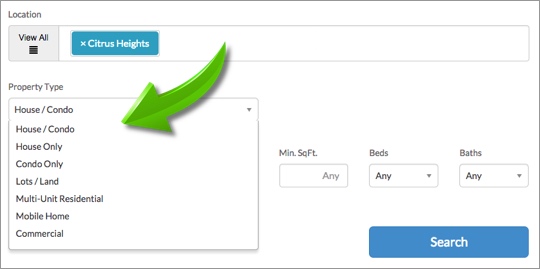
The property types within your property search form can be customized for your market or area of expertise. Here are the customizations you can make:
[av_iconlist position=’left’ av_uid=’av-23gh1r0′]
[av_iconlist_item title=’Exclude Property Types’ link=” linktarget=’no’ linkelement=” icon=’ue814′ av_uid=’av-1pnzoe4′]
Choose what property types are available in your search form. For example, you might choose to include just the Commercial property search option if that is your specialization.
[/av_iconlist_item]
[av_iconlist_item title=’Change Property Type Names’ link=” linktarget=’no’ linkelement=” icon=’ue833′ av_uid=’av-176s270′]
Change the names used for different property types within the search form.
Example: “Townhouse” might be more suitable than “Condo” in your area.
[/av_iconlist_item]
[av_iconlist_item title=’Set Default Price Ranges’ link=” linktarget=’no’ linkelement=” icon=’ue8de’ av_uid=’av-2w7jx8′]
Set default min/max price ranges for different property types.
[/av_iconlist_item]
[/av_iconlist]
To make any of these customizations, login to your IDX Control Panel and select SETUP > Search Settings > Property Types & Prices.