
Trial Guide
2. Next Steps For Success
Lead Management
Adding A Lead
With your MLS approval and site setup underway, now is the time to learn the basics of lead management in your iHomefinder CRM or Control Panel.
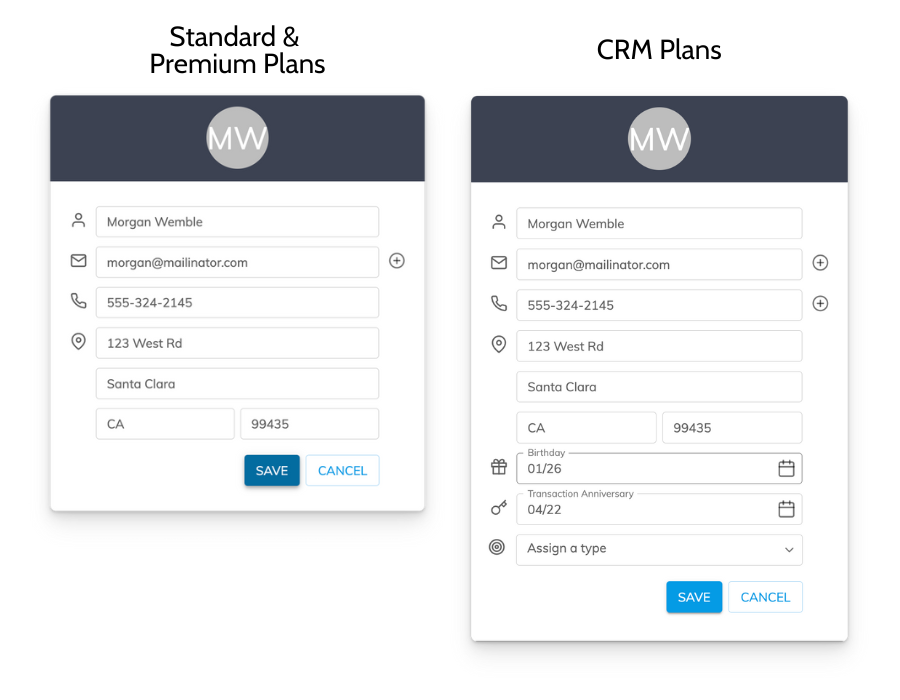
We’ll start with how you can add a lead manually. While your site is optimized for lead capture and a bulk lead import is available, you’ll sometimes need to enter leads directly in the Control Panel.
Go to your Lead List and click Add New, then enter your own name, email and other information into the form, and save. Congratulations! You know how to manually add leads to your account.
Lead Nurturing
Use the iHomefinder Max mobile app to stay on top of your leads wherever you are. Get instant notifications when contacts visit your website, view their search activity, and follow up at the right moment.
Optima Leads
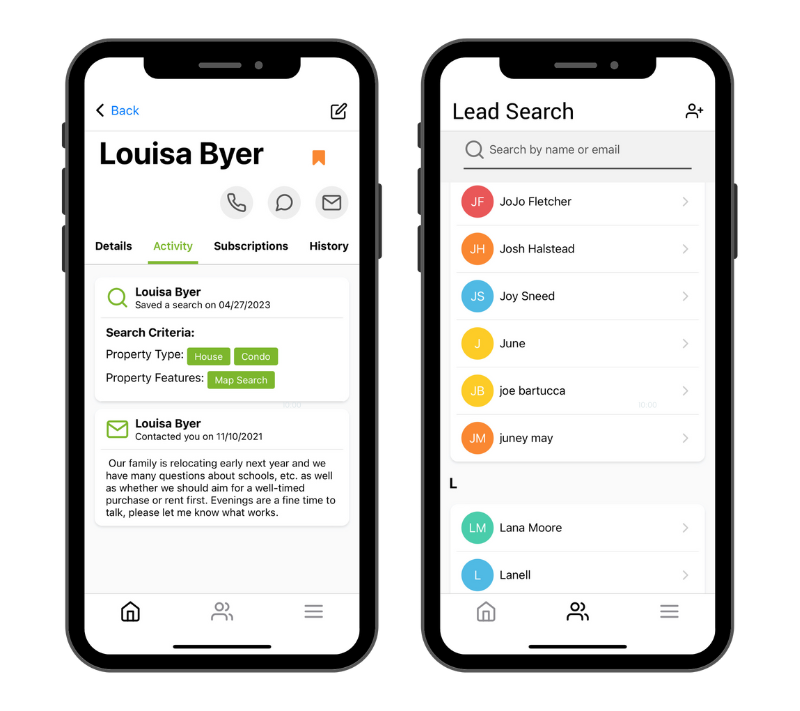
An important tool for lead management is Optima Leads – our app for agents that allows you to work your leads no matter where you are. Add, view, and edit leads, and manage their content subscriptions – all from your mobile device.
Download Optima Leads
Free for all Agent plans
Download on the App Store · Get it on Google Play
Not available for use by members of REIN and Maine MLSs.