
Conversational Property Search

Property search that turns website visitors into conversations.

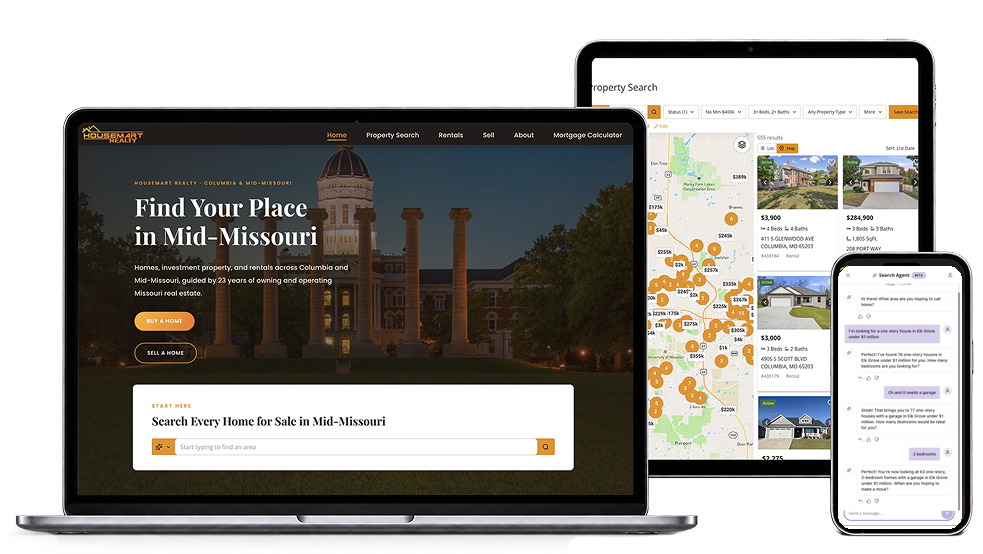
Buyers type what they want and your search asks the follow-ups a good agent would. Budget, must-haves, neighborhoods — all on the lead record before you call. Your first conversation starts where theirs left off.
The Real Problem

Every agent has a property search.
None of them start a conversation.

Typical Property Search

  • Filters and dropdowns
  • One search, then start over
  • Registration gets you a name and an email
  • No automated follow-up
  • CRM and website are separate
  • Subdomains and iframes that hurt SEO/AEO

Conversational Property Search

  • Buyers just say what they want
  • Follow-up questions, like an agent
  • Registration gets you budget, must-haves, neighborhoods
  • Automated drip campaigns
  • All in one platform
  • Embedded on your domain — builds your SEO/AEO
How It Works

Buyers talk. Your search listens. You get the notes.

Your buyers already talk to AI like a person. Now they can talk to your property search the same way.
  • Smart Search

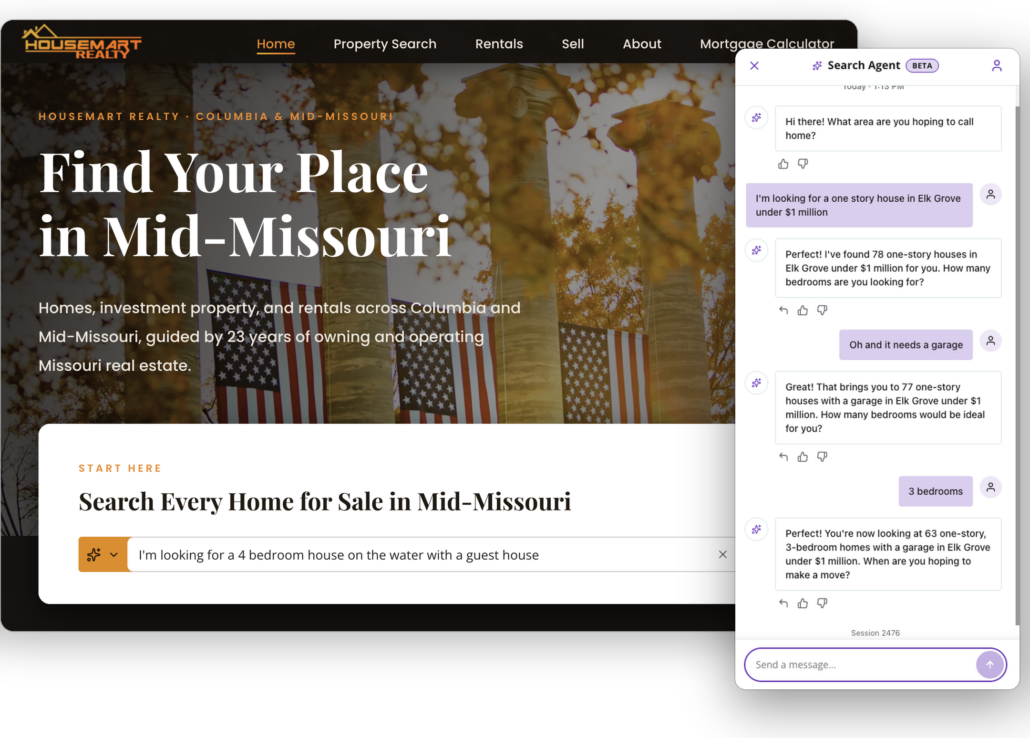
    Buyers type what they want — “3 bed ranch under $450K in Rogers with a big backyard” — and get the homes that match. No dropdowns, no guessing which box means what.
  • Search Agent (Beta)

    Smart Search answers the question. Search Agent has the conversation. “Closer to downtown.” “Anything with a pool?” It refines as the buyer thinks out loud instead of making them start over.
Search Profile

Everything they said, on the lead.

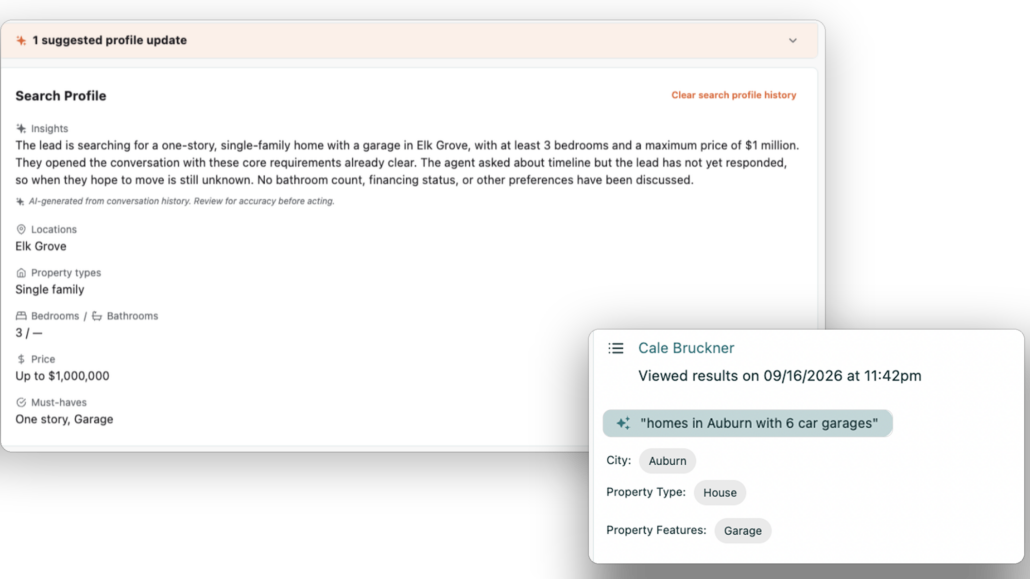
Most registrations give you a name and an email. A conversation gives you budget, must-haves, neighborhoods, timing — and Search Profile.
  • Buyer preferences

    Budget, locations, property types, must-haves — pulled from the conversation and saved on the lead.
  • Suggested updates

    When a buyer’s needs change mid-search, the profile flags it. You accept or dismiss.
  • Conversation history

    Every question they asked and answered, next to their searches and saves.
Moving the Deal

Show them the right home sooner.

When you know what a buyer actually wants, the follow-up writes itself.
  • Relevant Follow-Up

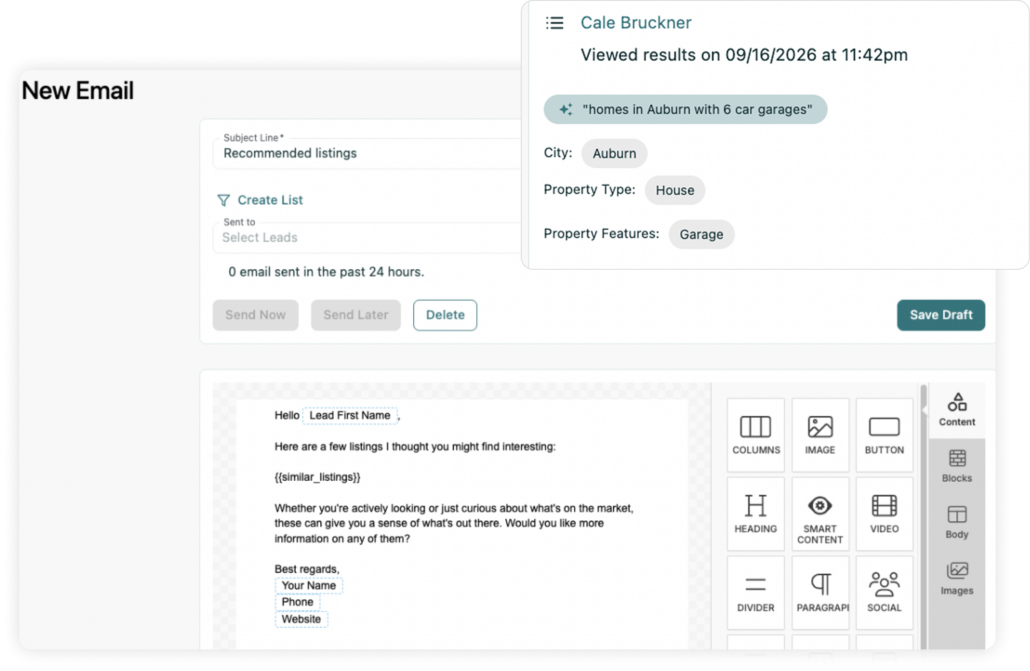
    Reach out about the home that matches their search, not a generic check-in.
  • Better Recommendations

    Send listings that fit what they described, so every email is worth opening.
  • Ready Signals

    Searches that get more specific mean a buyer getting closer. That’s when to call.
The iHomefinder Difference

The conversation doesn’t live in a chat window. It lives in your CRM.

Other search tools bolt a chatbot onto a listings page and the conversation disappears when the buyer closes the tab. Here, the search, the lead record, and your follow-up are one system.

One Platform

Search, CRM, and automation built together. No integrations to break.

Your Domain

The conversation happens on your site, under your brand.

Your Leads

What they told you stays with you.

Your Follow-Up

Alerts and drips start from what they said, not a generic drip.

Keep your team on top of every opportunity.

See lead activity, follow-up, and performance across your team, so you know what’s moving and what needs attention.

Turn more property searches into deals.

Take iHomefinder for a two week test drive. It all starts with a 15 minute demo.