

WordPress IDX: The Complete Guide for Real Estate Agents
A real estate website without listings doesn’t do much for buyers. WordPress IDX solves that by pulling live MLS listings directly onto your site, so visitors can browse current homes without leaving your domain.
Many real estate agents choose WordPress because it’s flexible and easy to customize. The challenge comes when it’s time to display listings. IDX is often included in website packages or mentioned by vendors, but what it actually does—and why it matters for your business—isn’t always obvious.
WordPress IDX transforms your site into a living platform for real estate websites, featuring dynamic IDX listings and advanced IDX search capabilities. This guide breaks down everything you need to know about WordPress IDX—from how it works under the hood to why it is a critical component of a lead-generating real estate website.
What is WordPress IDX?
WordPress IDX is a way to display active Multiple Listing Service (MLS) listings directly on a WordPress website. Through an IDX integration, property data updates automatically from the MLS, allowing prospective buyers to search and view homes without leaving the agent’s site.
IDX Explainer
To understand the concept fully, we need to break down the acronym. IDX stands for Internet Data Exchange. It is the policy and software standard that allows real estate professionals to display comprehensive MLS data on their own websites.
WordPress Explainer
WordPress, on the other hand, is the world’s most popular Content Management System (CMS), powering a good portion of the web. It is the platform of choice for many real estate agents because of its flexibility, SEO capabilities, and site ownership.
Here’s who can use and benefit from WordPress:
- Real estate agents: Individual professionals looking to build their personal brand
- Real estate teams: Groups needing a central hub for their shared listings and lead generation
- Brokerages: Offices requiring a robust site to support multiple agents and high traffic volumes
How does WordPress IDX work?
If you are not a developer, the technical side of IDX can seem confusing. However, the process is fairly straightforward when you look at the flow of data.
Here is the step-by-step process of how a listing gets from the MLS to your website:
1. MLS authorizes access. As a member of your local MLS, you request approval to use IDX. This approval allows you to display MLS listings on your website, following the rules set by your MLS.
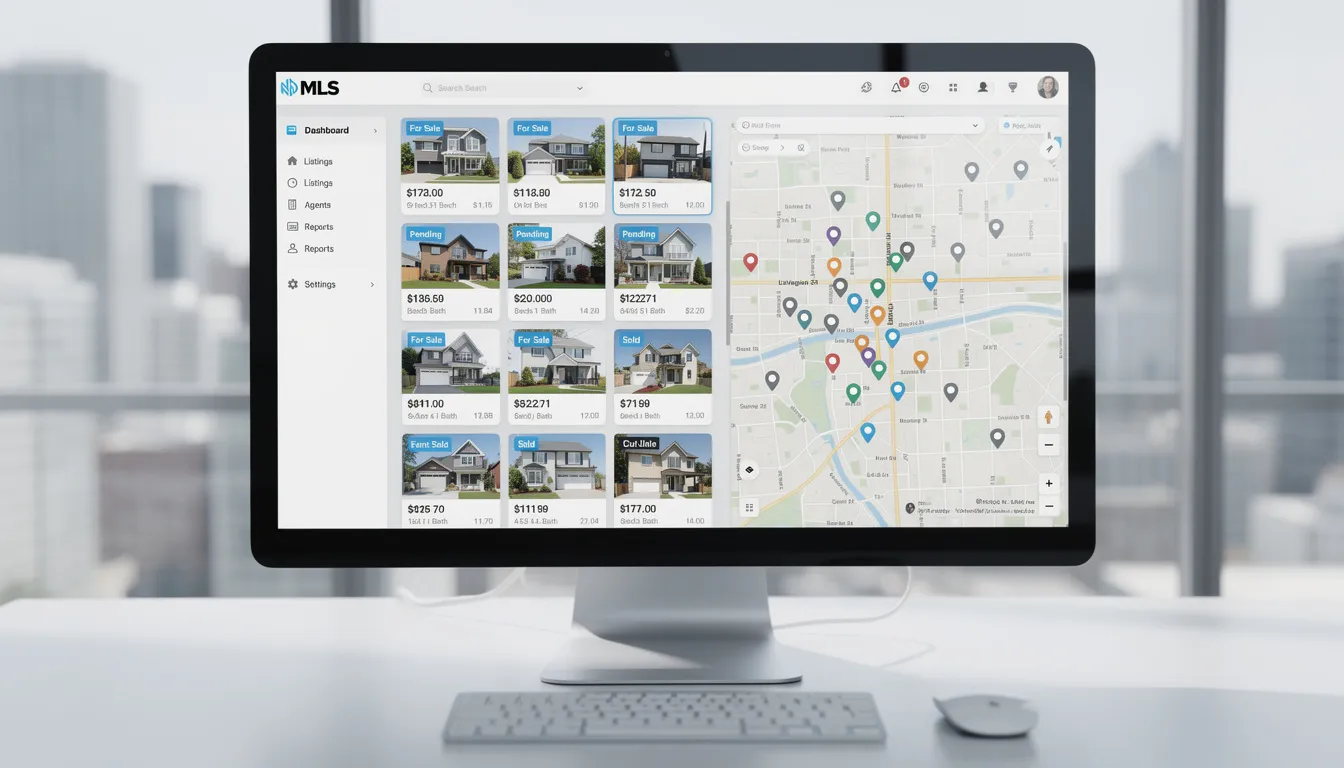
2. An IDX provider connects to the MLS. Most agents don’t connect to the MLS directly. A third-party IDX provider serves as the intermediary, receiving the approved MLS data and handling the technical and compliance requirements.
3. Listings are delivered to your WordPress site. The IDX provider processes the MLS data and displays it on your WordPress site using a plugin or API-based integration. This makes listings searchable and viewable directly on your website.
4. Listings update automatically. IDX is not a one-time upload. When listing details change in the MLS—such as price updates or status changes—the data on your site refreshes automatically. Updates typically happen multiple times per day, depending on MLS rules and provider settings.
5. Buyers search listings on your site. Visitors can search, filter, and view listings directly on your website without being sent to a third-party portal. The search results come from the MLS data supplied through your IDX provider.
MLS Search Plugin
IDX plugins connect to your local MLS feed and display listings as native pages on your site. After listings are displayed, IDX widgets can showcase listings, search features, and property details throughout your site, including posts, pages, and sidebars, enhancing both user experience and SEO.
It is important to clarify that data is not copied manually. You do not need to upload photos or type in descriptions for every home in your market. The integration handles the heavy lifting. Furthermore, specific compliance rules set by your local board are built into the display, ensuring you are showing listings legally and ethically.
Pro Tip: An IDX WordPress Plugin turns a static website into a dynamic, continually updated platform.
What is the Visitor Experience on a WordPress IDX website?
For your potential clients, the “how” doesn’t matter as much as the “what.” They simply want a seamless experience that helps them find their dream home.
A well-designed WordPress IDX site can match the usability of major listing portals. It delivers a consistent mobile experience with a mobile app experience feel, so clients can browse listings easily on any device.
When a user lands on your site, they’ll most likely interact with:
- Advanced Property Search: Users can filter by price, beds, baths, square footage, and specific features (like pools or waterfront).
- Map-Based Browsing: An interactive map view allows buyers to search by neighborhood or specific streets visually.
- Listing Detail Pages: These pages display high-resolution photos, descriptions, schools, and property history.
- Saved Searches and Alerts: Buyers can create accounts to save their favorite homes and sign up for email alerts when new properties hit the market.
- Lead Capture Forms: Strategically placed “Schedule a Tour” or “Ask a Question” buttons allow users to contact you instantly, capturing leads and using tools to capture visitors’ information.
Mobile-first design is essential, with responsive map and listing views for property searches. Dynamic property search functionality with filters, maps, and detailed information keeps users engaged.
What is the User vs. Agent Dynamic?
From the buyer’s perspective, they get accurate, local data without the advertisements found on national portals. For the agent, every search performed and every home viewed is an opportunity to capture behavioral data and start a conversation.
Why Do Real Estate Agents Use WordPress IDX?
Why go through the trouble of setting up a WordPress site with IDX when you could just have a simple profile page?
The answer lies in ownership and conversion.
Using IDX can significantly increase lead generation for real estate businesses and help agents close more business by providing advanced search features and better engagement tools.
Here are the direct benefits of using this integration:
Keep Visitors on Your Website
Without IDX, if a client wants to search for homes, they have to leave your site and go to a national portal. Once they leave, you lose control of the narrative. With IDX, your site becomes the destination. The longer they stay, the more trust they build with your brand.
Improve Lead Capture
National portals sell leads to the highest bidder. On your own WordPress IDX site, you are the only agent. When a potential buyer has a question about a listing—even if it’s not your listing—the inquiry goes directly to you.
IDX solutions are designed to capture visitors and are highly effective at capturing leads through customizable registration prompts and calls-to-action. By integrating forms and automated alerts when setting up IDX, you can convert visitors into leads more efficiently.
Build Search Visibility
Every listing on your MLS can potentially be a page on your website. This creates a massive footprint of local content that can help you appear in search results when buyers type in specific addresses or MLS numbers. IDX listings should be integrated with SEO-friendly URLs and schema markup to maximize search engine visibility and ensure that each IDX property listing is optimized for better ranking.
Support Local SEO
You can create custom pages combining IDX data with local content. For example, a “Downtown Condos for Sale” page that features your expert advice alongside a live feed of relevant listings is a powerful asset for ranking in local search results.
Create a Professional Experience
Modern consumers expect instant access to information. A site that only displays your personal sold history feels outdated. By integrating sold listings and displaying MLS listings under your brand, you maintain site ownership and create a more professional experience. Offering a full home search experience signals that you are a resource for the entire market, not just your own inventory.
>> Grab the comparison guide: IDX Broker alternatives this year and beyond.
Is WordPress IDX Good for SEO?
This is one of the most debated topics in real estate marketing. The short answer is: Yes, but only if it is implemented correctly.
Not all IDX solutions deliver the same SEO results. iHomefinder is built with indexable, organic IDX pages that allow Google to crawl and index listing content as part of your website—not a separate system. This avoids the SEO limitations of older IDX technology that hides listings from search engines. With regularly refreshed MLS data and search-friendly page structures, iHomefinder helps real estate websites capture more organic visibility from active buyer searches.
How Do Indexable Listings Work?
In an SEO-friendly setup, the IDX provider creates a unique URL for every property on your domain (e.g., yourwebsite.com/listing/123-main-street). Google can crawl these pages, meaning your site gets credit for the content.
The Risk of Duplicate Content
Because hundreds of agents in your area might be displaying the exact same MLS description, there is a risk of duplicate content. Search engines are smart enough to understand real estate data, but you can’t rely on listing pages alone to rank.
Importance of SEO-Friendly URLs
Avoid IDX solutions that generate messy links full of random characters. Clean, readable URLs that include the property address are far better for search rankings and user trust.
Why Some IDX Sites Don’t Rank
Some agents make the mistake of using “iframe” solutions. This essentially cuts a hole in your website and displays a window to another site. Google sees the window, but not the content inside it. If your IDX uses iframes, you are getting zero SEO benefit from those thousands of listings.
Building an IDX Website
Building an IDX website is a key step for any real estate agent who wants their website to support search, listings, and long-term business growth.
With WordPress and the right plugin, you can turn your site into a powerful home search experience powered by MLS property data.
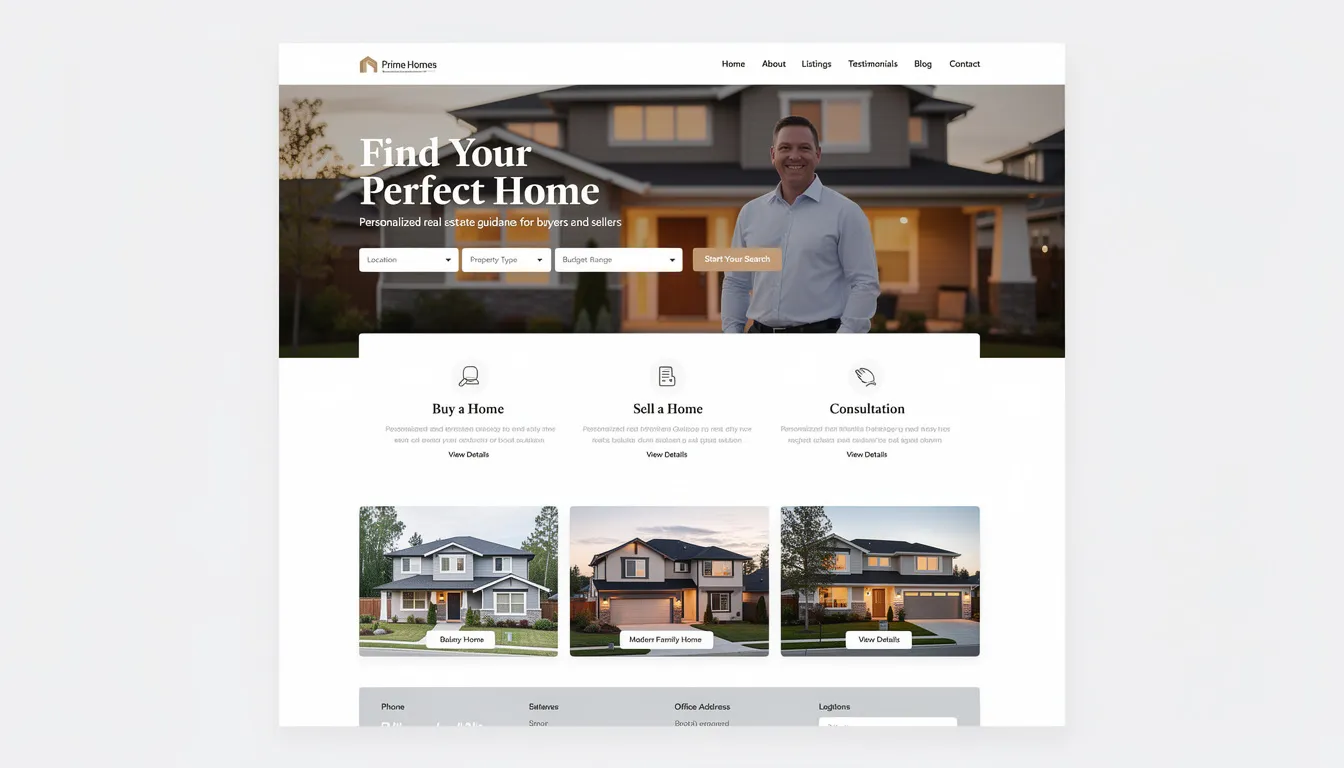
1. Start with the right website foundation
Your website is the hub of your real estate business, so WordPress is a natural starting point. It gives agents flexibility, control, and the ability to scale as their business grows. Choosing a simple, clean, and effective real estate WordPress theme can improve search, engagement, and communication.
2. Choose an IDX plugin built for real estate growth
To display listings and power search, you’ll need a reliable IDX plugin. iHomefinder is designed specifically for WordPress, making it easy for an agent to add MLS-powered search and listing pages without complex setup.
3. Connect multiple MLS feeds and property data
Choose a platform that can support multiple MLS feeds. This allows your website to display accurate, up-to-date property data across the markets you serve. This ensures buyers always see current listings, prices, and status updates.
4. Create a buyer-friendly search experience
With iHomefinder, you can add customizable search tools, filters, and listing detail pages that help visitors quickly find the homes they’re looking for. Search happens directly on your website, keeping users engaged instead of sending them to third-party portals.
5. Deliver a mobile-ready experience
Modern buyers search on their phones. iHomefinder’s WordPress plugin delivers a responsive experience that works smoothly across devices, supporting how buyers actually browse listings today.
6. Support long-term real estate business growth
Whether you’re a solo agent or part of a larger team, building your IDX website with iHomefinder gives you control over your brand, search, and property data—so your website works as a true growth tool for your real estate business.
With the right setup, your IDX website becomes more than a place to show listings—it becomes a central part of how clients discover, explore, and engage with your real estate business online.
What Do You Need to Use IDX on WordPress?
Ready to get started? It’s not as simple as just clicking “download.” Because you are dealing with licensed data, there is a process involved.
Here is your checklist for getting up and running:
- A WordPress Website: You need a self-hosted WordPress site (not the free blogging version), as the latter restricts plugins.
- Active MLS Membership: You must be a licensed agent or broker in good standing. The MLS will verify your status before authorizing the feed.
- IDX Approval: You will need to sign a data agreement (often digital) between you, the IDX provider, and the MLS, and provide credits and disclaimers as required by the MLS.
- An IDX Provider Account: You need a subscription to a service like iHomefinder, Showcase IDX, or Realtyna to process the data.
- Install the IDX Plugin: Install and activate your chosen IDX plugin, then manage and configure it directly from your WordPress dashboard.
- Compliance Adherence: Your site must display specific disclaimers and logos required by your local board.
Many IDX providers do not charge setup fees, making it easier and more affordable to get started.
IDX Integration and Setup
Integrating and setting up IDX on your WordPress site is a critical step in creating a high-performing real estate website. The process begins with obtaining MLS approval, which ensures you have the right to display MLS listings on your site. Once approved, you’ll install and configure your chosen idx plugin—Showcase IDX is a popular choice for its user-friendly interface and powerful features.
A good idx website setup allows you to customize search criteria, design intuitive search forms, and tailor listing pages to match your brand. Server prerendering is an important feature to look for in your idx plugin, as it enables search engines to index your listings and content, boosting your site’s SEO and helping you attract more organic traffic.
Lead capture tools are another essential component of idx integration. By incorporating registration forms, pop-ups, and integrated CRM systems, you can capture and manage leads directly from your website. These tools help you track lead activity, nurture relationships, and convert visitors into clients. Throughout the setup process, focus on configuring your idx plugin to maximize both user experience and lead generation, ensuring your website becomes a powerful asset for your real estate business.
Common WordPress IDX Mistakes to Avoid
Implementing IDX is a technical process, and there are pitfalls that can hurt your rankings or user experience.
- Using Iframe-Based Tools: As mentioned earlier, avoiding “framed” content is rule number one for SEO. Always choose a plugin that integrates data directly into your page structure.
- Blocking Listings from Indexing: Some agents accidentally leave settings on that tell Google not to read their listing pages. Check your provider’s settings to ensure indexability is turned on.
- Ignoring Compliance Rules: The MLS can shut down your feed if you fail to display the listing broker’s name or the MLS logo correctly. Most modern plugins handle this, but you are ultimately responsible.
- Overloading Pages with Scripts: Real estate sites are image-heavy. If you add too many unoptimized plugins or massive image files on top of the IDX feed, your site speed will tank, frustrating mobile users.
- Treating IDX as “Set it and Forget it”: Simply having listings isn’t a marketing strategy. You need to create custom searches (e.g., “Homes in [Neighborhood] under $500k”) and link to them from your blog and social media.
- Overlooking Automation Features: Don’t overlook features like drip emails, which automate client communication by sending updates on new listings, hot sheets, and detailed listing information.
- Not Syncing Lead Data to CRM: Ensure your IDX plugin can automatically sync lead data to your Customer Relationship Management (CRM) system for seamless follow-up and organization.
Best Practices for IDX Websites
To get real value from your IDX website, you need more than listings alone. Following proven best practices helps improve the user experience, strengthen SEO, and turn website visitors into leads.
Focus on these essentials:
- Choose an IDX plugin with a responsive design so your website works smoothly on desktop, tablet, and mobile app like experience.
- Optimize page content, meta tags, and images to improve search visibility and attract organic traffic to your new and existing real estate listings.
- Use lead capture tools like registration forms, pop-ups, and clear calls to action to encourage sign-ups.
- Build custom IDX pages, advanced search tools, and detailed listing pages that support buyer search behavior. Apply this to multiple websites if you run or optimize for different teams.
- Keep listings and market insights updated so visitors have a reason to return.
When these elements work together, your IDX website becomes more than a search tool—it becomes a reliable way to capture leads and support long-term real estate business growth.
How WordPress IDX fits into Your Real Estate Tech Stack
Your website shouldn’t exist in a vacuum. A successful real estate business uses IDX as the foundation of a larger technology stack.
Think of IDX as the listing engine. It fuels the car. But you still need a steering wheel and a GPS.
- CRM Integration: When a lead registers on your IDX site, that data should flow instantly into your Customer Relationship Management (CRM) system so you can follow up.
- Email Automation: Your IDX should trigger automated property alerts. If a lead looks at condos, they should automatically start receiving emails about new condos.
- Analytics: Tools like Google Analytics should be connected to track which properties are getting views and where your visitors are dropping off.
When these tools talk to each other, your WordPress site stops being a digital brochure and starts being a 24/7 sales employee.
Is WordPress IDX right for your real estate website?
Deciding on the right technology comes down to your business goals.
WordPress IDX is the best choice for agents and teams who want long-term control. If you care about SEO, want to own your content, and plan to build a unique brand that stands out from the cookie-cutter sites provided by your brokerage, this is the path for you.
However, it is less ideal for those looking for a hands-off solution. If you don’t want to think about hosting, updates, or plugins, and you just want a site that works out of the box (even if you don’t own it), a proprietary builder might be a better fit.
Ultimately, if you want your listings to generate traffic and convert leads effectively, WordPress IDX provides the solid foundation you need to compete in the modern real estate market.
Bring It All Together
Building a successful IDX website comes down to choosing the right tools and setting them up intentionally.
With iHomefinder’s WordPress IDX plugin, real estate agents can create a website that showcases listings, supports buyer search, and turns traffic into measurable leads. From indexable listing pages to customizable search and lead capture tools, iHomefinder is built to support real-world real estate business goals.
If you want an IDX solution that’s designed for WordPress, supports multiple MLS feeds, and helps your website work as a true growth channel, start with iHomefinder.
Explore iHomefinder’s IDX solutions or request a demo to see how your website can deliver a better search experience for buyers—and better results for your business.

