

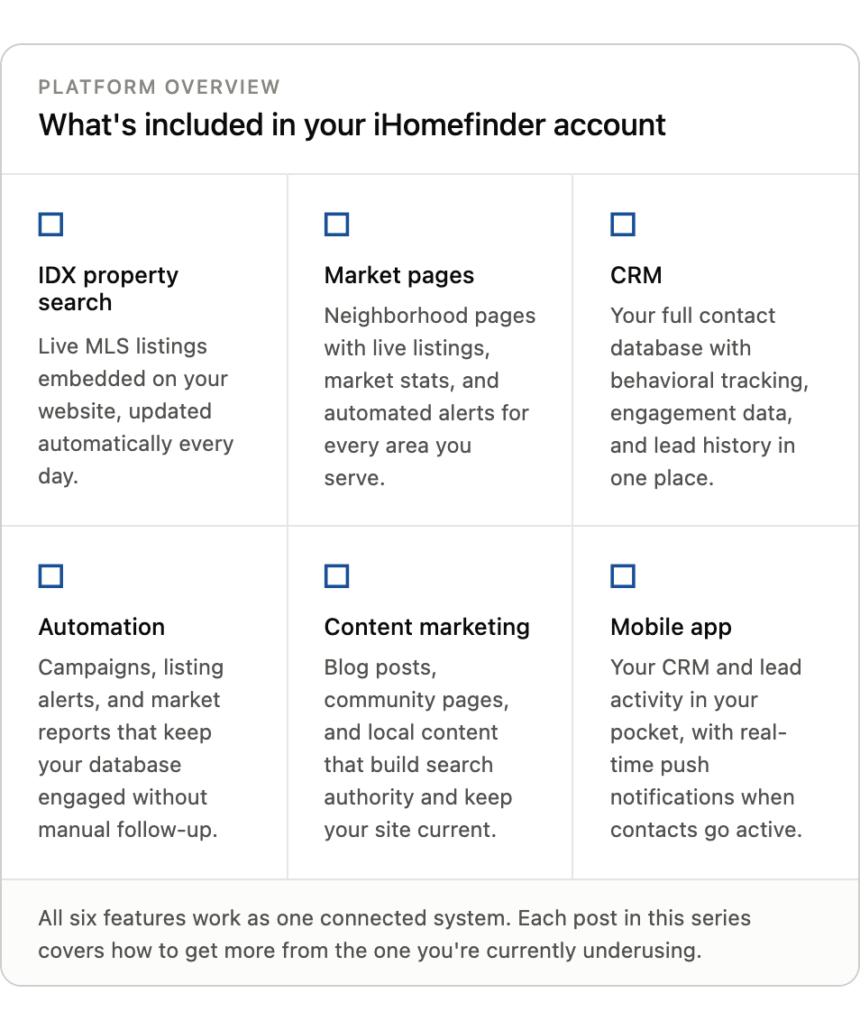
By now you understand the system. Your real estate website and property search capture visitors and turn them into contacts. Market pages drive new traffic and keep your database engaged. Lead intelligence tells you who’s active and who’s ready to talk.
Here’s the problem most agents run into next.
You’re showing houses. You’re at closings. You’re managing a marathon of transactions. You’re trying to have dinner with your family.
And while you’re doing all of that, the contacts in your CRM aren’t hearing from you.
Every contact who isn’t hearing from you is slowly forgetting you exist.
What’s Going to Set You Apart?
The agents closing 15 or 20 deals a year solved this without adding more hours to their day. They don’t personally follow up with every contact every week. Nobody can.
What they do is build automated communication that keeps running whether they’re at their desk or not. Then, they step in personally when the signals say it’s time.
What does that look like? A new registration should hear from you right away.
Someone who’s casually browsing can stay connected through automated listing alerts, market reports, and nurture campaigns. But when that same buyer requests information, schedules a tour, saves a search, or starts showing stronger engagement, they’ve given you a reason to make the conversation personal.
That’s what marketing automation is. It fuels the relationship until a contact’s behavior tells you it’s time to step in.
This Is Not Mass Email Spam
When agents hear “automation,” they picture the kind of generic blast emails they delete from their own inbox every morning.
That’s not what we’re talking about when you leverage iHomefinder.
Automation in your business means communication that goes out on your behalf. It’s also built around a schedule you set, with content that’s relevant to where each contact is in their process.
- A new lead gets a welcome message within minutes of registering rather three days later when you finally notice the notification.
- A past client receives a monthly market update for their neighborhood instead of a holiday card once a year.
- An interested buyer who’s been quietly searching for six months gets re-engaged with fresh content at the right moment.
You set it up once. It runs from there. And because you write it or choose it, it sounds like you.
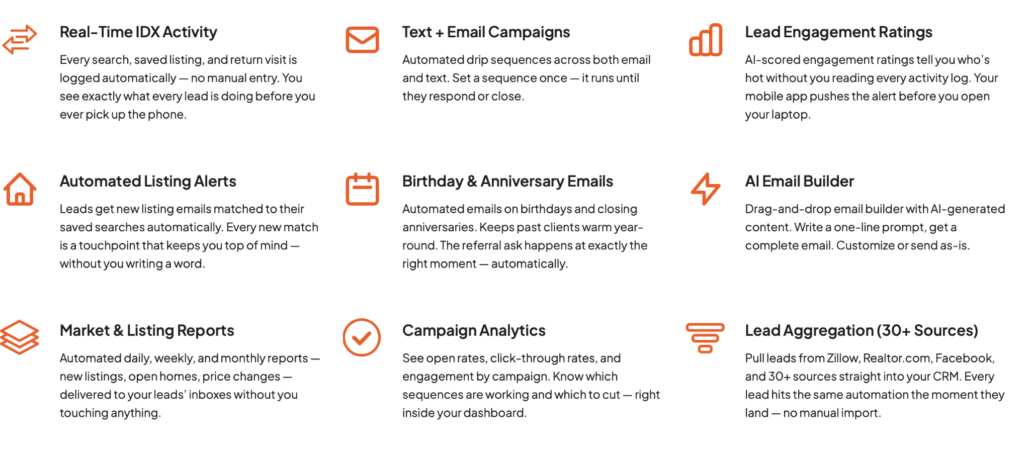
Three Things That Should Run on Autopilot
You don’t need a complicated marketing strategy to grow your real estate business. But you do need three types of follow-up running consistently.
And you absolutely need a plan for the moments that happen over and over again:
- A new lead enters your system (through an ad, contact form, etc.)
- A contact isn’t ready to move yet
- Someone who was engaged suddenly goes quiet
The follow-up shouldn’t be the same in each of those situations. What you send, when you send it, and when you step in personally should depend on what that contact is telling you through their behavior.
What Happens When a New Lead Registers?
Someone finds your site, searches properties, sees something they like, and gives you their information. What happens next?
For most agents: nothing, until they notice. Maybe an hour later. Maybe the next day. Maybe the notification gets buried and never gets actioned at all.
That delay is crucial. The moment a lead submits their information is the moment they are most interested. An hour later they’re back to their day. And a day later they’ve already browsed three other sites and talked to two other agents.
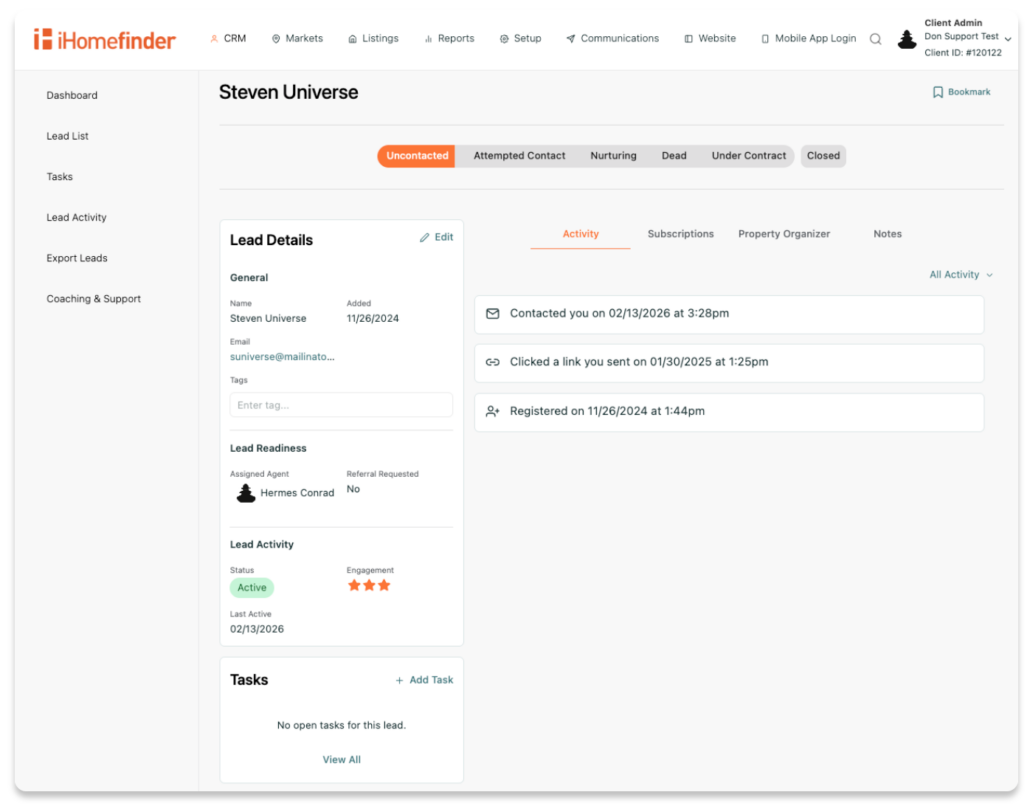
That’s why your first follow-up shouldn’t depend on when you happen to check your CRM. A new lead entering iHomefinder can trigger your New Lead Welcome campaign right away, so the first touchpoint happens when their interest is fresh—not hours or days later.
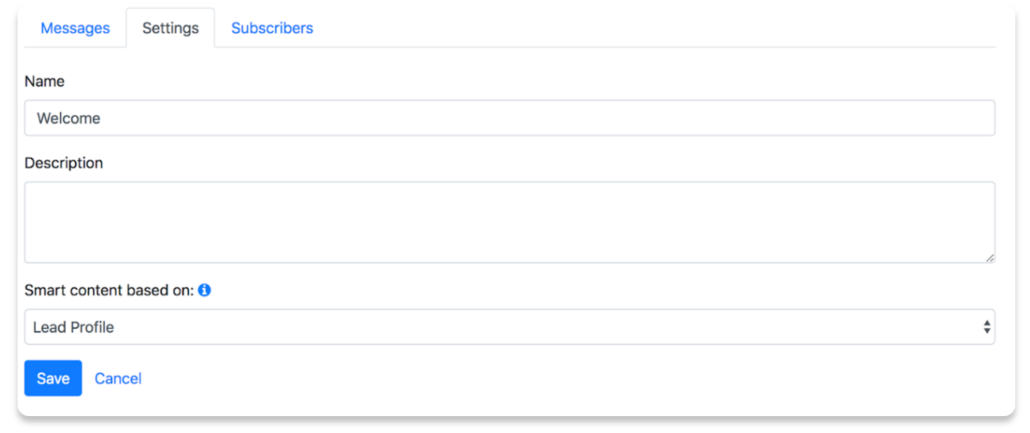
Caption: In iHomefinder Campaign Settings, you’ll customize what happens when a new lead enters your system.
Welcome Sequences that Work
An automated welcome sequence handles this. Within minutes of registration, the contact gets a message that sounds like you—not a sales pitch.
It should be something useful like what they can do on your site, listings that match what they were searching, and a clear way to reach you when they’re ready.
With iHomefinder, you can even send automated area stats to motivate interested clients into action and give them an inside scoop they won’t get elsewhere.
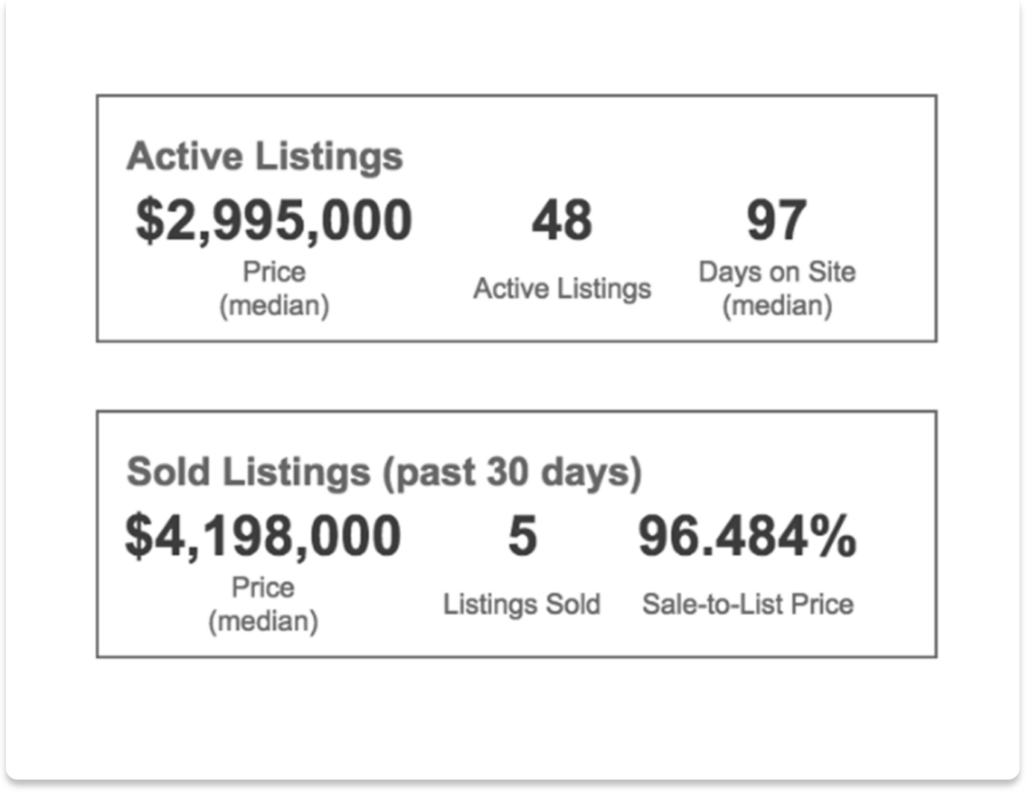
Caption: Place local area stats in your automated campaigns to educate future clients on what’s happened.
Either way—the first touchpoint always happens whether you’re at your desk or in the middle of a showing. It’s immediate, it’s relevant, and it sets the tone for the relationship before a competitor gets the chance to.
What Happens with Contacts Who Aren’t Ready Yet?
Most of your database isn’t buying or selling today. They registered because they were curious, starting to plan, or just thinking about it. They might be six months out or even longer.
These contacts are not lost leads. Instead, think of them as future business opportunities. It’s possible that they just need time and occasional reminders that you exist—and that you’re ready to help them through a major milestone.
You can tackle this through ongoing nurture, re-engagement, and keeping your automations active.
Ongoing Nurture Campaigns
Ongoing nurture campaigns handle this problem. A sequence that sends useful content on a regular cadence: market updates, listings that match their saved search, neighborhood highlights, buyer or seller guidance.
Not every day. But consistently enough that when they’re finally ready to act, your name is the one they think of.
In iHomefinder, the listing alerts and market reports from your market pages already do a lot of this work automatically. Campaigns fill in the gaps with content that feels like it’s coming from an agent who knows their market, not a software system running in the background.
What Happens When a Lead Goes Quiet?
A contact who was engaged, opening alerts, viewing listings, visiting your site regularly, suddenly stops. They have no activity for 30 days—then 60 or 90.
This happens constantly because life gets in the way. Real estate timelines shift. It doesn’t always mean that a lead lost interest. Sometimes it means they got busy and need a reason to come back.
Re-Engagement Brings Back
Automated re-engagement campaigns handle this. As a starting point, consider following up after 30 days of inactivity for a lead who was previously engaged.
If someone has been regularly viewing listings, saving searches, or opening alerts and then disappears for a month, that’s a good reason to check in while their original search is still relatively fresh.
Your timeline can change based on the lead. An active buyer may warrant a shorter window, while someone who told you they’re six months away can stay on a slower nurture track.
If they click through, they’re back in the active pool and your system picks up the signal. If they don’t, the nurture keeps running in the background at a lower frequency. Either way—you’ve wasted no time and have invested in a touchpoint that could build future business.
The Math That Makes Automation Worth Building
Here’s how to think about your database.
Let’s say you have 500 contacts. At any given time, roughly 5% are actively looking to buy or sell. That’s 25 people. Lead intelligence helps you identify those 25 and focus your personal time on them.
But what about the other 475?
Among those 475 are future deals. They include contacts who will become active in three months, six months, or a year.
If you’re not staying in front of them between now and then, someone else will. Another agent using another platform. Another listing alert from a competing site. By the time those contacts are ready to act, they’ll work with whoever stayed top of mind.
Automation Makes the Difference
Automation is how you stay in front of 475 people without it becoming your second job. You’re not handwriting 475 messages a month. You’ve got a planned, personalized system to send them for you.
It’s packed with helpful content you chose on a schedule that makes sense. And when one of those 475 contacts starts showing activity again, your lead intelligence surfaces them and tells you it’s time to step in personally.
Automation handles the volume.
Intelligence handles the timing.
You handle the relationship.
How This Works Inside iHomefinder
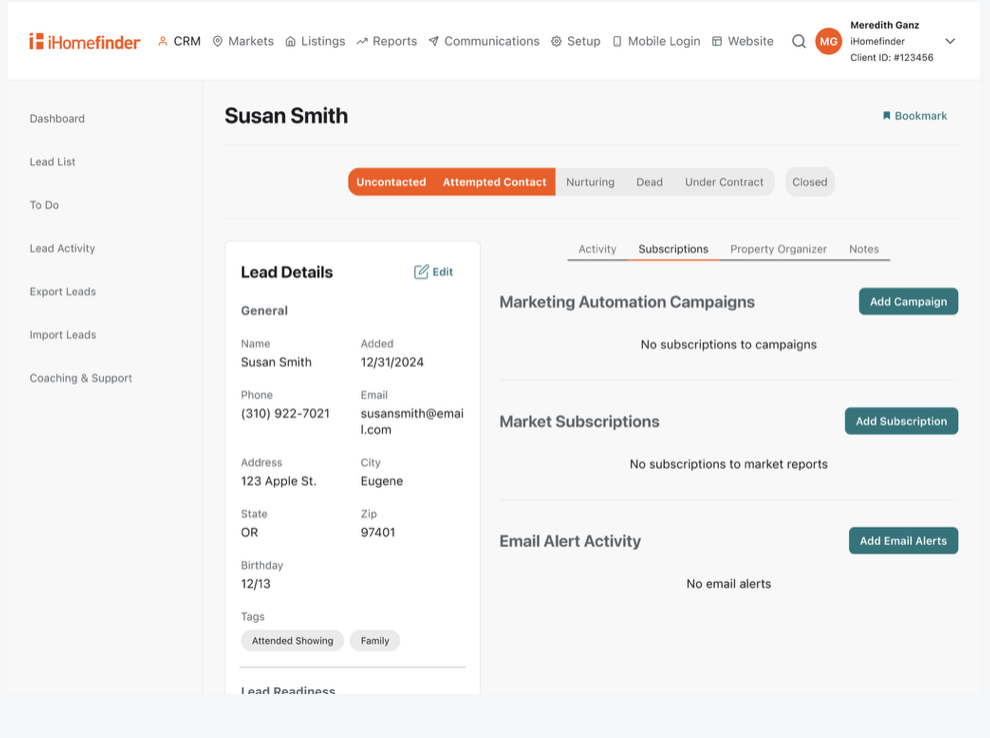
The tools for this live under Communications in your top navigation. That’s where you build and manage the campaigns that keep your database engaged between personal touchpoints.
Campaigns Run on a Schedule You Define
Inside your dashboard, you can create a campaign as a series of emails, texts, or both that go out on a timeline you set.
A welcome campaign might send three messages over the first week. A long-term nurture might send one message a month for six months. You decide the cadence, write or choose the content, and the system handles delivery.
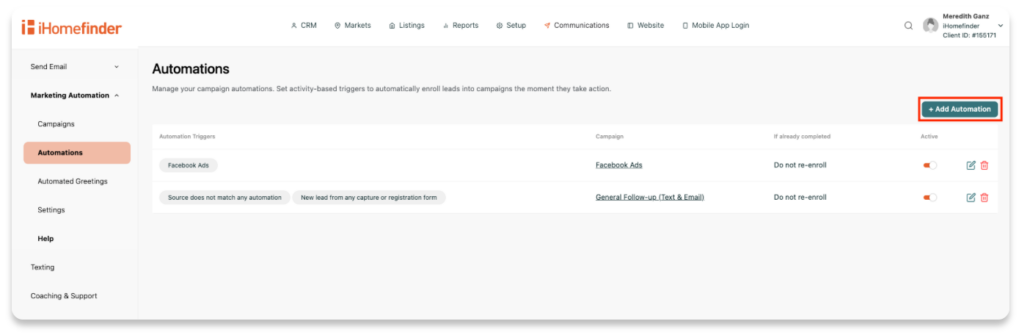
Caption: Add Automations directly in your iHomefinder dashboard so that your messaging runs 24/7.
Email and Text Work Together
Some contacts open every email. Others are more likely to respond to a text. The key is using each channel when it makes sense.
Use email when you have something worth spending time with, like a market update, new listings, or buyer and seller guidance. Use text messages for shorter, more immediate touchpoints—welcoming a new lead, following up on a property inquiry, or checking in after someone schedules a tour.
iHomefinder campaigns can include both, so you don’t have to choose one channel for every lead or every situation. Match the message and the channel to the moment.
Campaigns and Alerts Reinforce Each Other
Your Market Page alerts (listing, open house, and market reports) are already bringing contacts back to your site on a regular cadence.
Campaigns fill the space between those automated touchpoints with content from you directly. Together, they create a consistent presence in your contacts’ inboxes without you having to coordinate them manually.
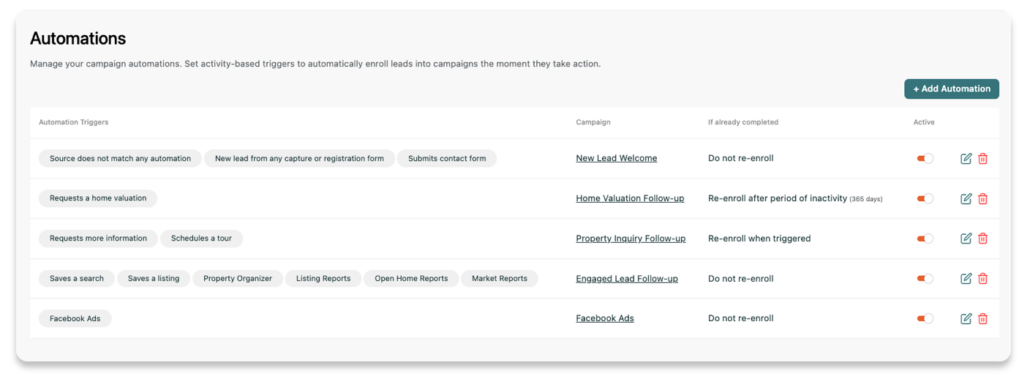
With iHomefinder, you’ll also unlock activity-based automation triggers that move real estate leads through a specific set of steps.
Client requested a home valuation? No problem. You’re moving them through a proven pipeline to get the information they want faster.
Behavioral Data and Campaigns Works in Both Directions
Campaigns warm contacts up and bring them back to your site. That return activity feeds the behavioral data in your CRM.
When a contact who has been on a slow nurture campaign suddenly starts clicking through alerts and viewing multiple listings, the CRM surfaces them as active. The automation did its job. Now you step in.
What to Set Up This Week
You don’t need to build a full marketing operation this week. You need three things running, and the first one takes less than half an hour.
A Welcome Message for New Leads
Go to Communications and create a simple campaign that triggers when someone registers on your site. One email or text is enough to start. Thank them, point them to your market pages and saved search features, and give them a clear way to reach you. Twenty minutes of setup changes the first impression for every new contact going forward.
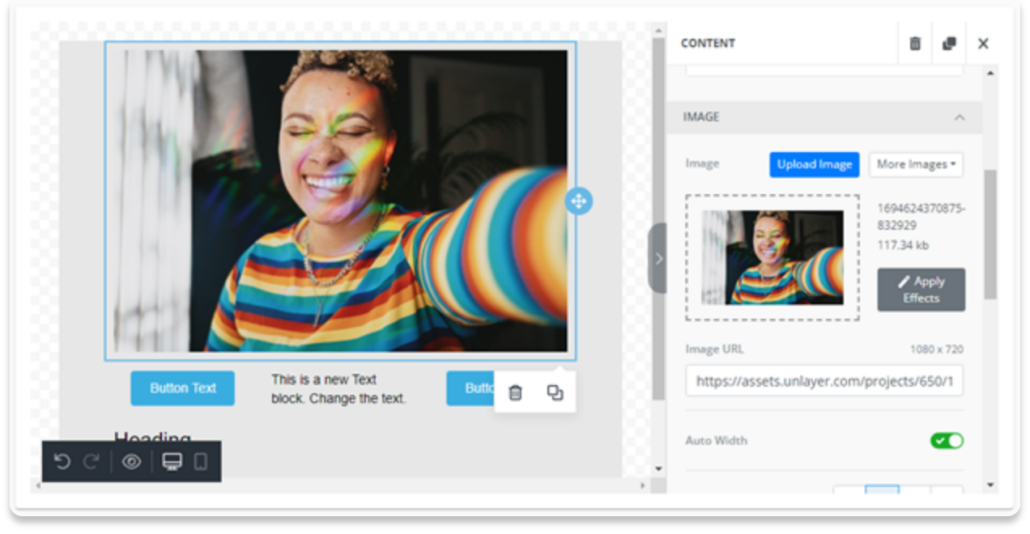
If you’ve got even more time to invest, you can personalize and customize all within iHomefinder. Add text that sounds like you and images that make your brand stand out. This isn’t about being generic, but about representing yourself as the agent who’s ready to help.
Confirm Your Alerts are Running
If your Market Pages are set up and your contacts are subscribed, you already have automated nurture working.
Before building anything new, go to Reports Overview and check that listing alerts, open house alerts, and market report alerts are generating sends.
Remember—the automation from Posts 2 and 3 needs to be working before you layer additional campaigns on top of it.
Decide What Happens at the 90-Day Mark
You don’t have to build a re-engagement campaign today. But look at your CRM and find the contacts who haven’t shown any activity in three months or more.
Think about what a relevant message to that group would say. When you’re ready to build it, the setup in Communications takes less than an hour. The contacts are already there waiting.
The goal of automation isn’t to take you out of the relationship. It’s to make sure the relationship keeps moving when your attention has to be somewhere else. New leads hear from you quickly. Future buyers and sellers don’t disappear into your database. And when someone’s behavior says they’re ready for more, you know it’s time to make the follow-up personal.
That’s how you stay in front of more people without spending your entire work week on follow-up. Let automation handle the consistency, then show up personally for the moments that matter.
This is Post 4 of 6 in our Customer Education Series. Next up: Content Strategy, how the content you create feeds the engine you’ve been building and compounds your visibility over time.