

The IDX website pages provided with iHomefinder accounts include features like property search, property details, your featured listings, contact forms, and more. In addition to these pages, there are many different IDX widgets you can use throughout your site to help visitors search listings, present listings you choose in listing galleries, and convert visitors into registered leads with calls to action. This article shares everything you need to know about how our widgets work and what each widget is used for.
Widget Basics
Before we take a look at the widgets themselves, it’s important to understand how you will manage widgets for your website platform.
WordPress & iHomefinder OmniPress Websites
If your website is on WordPress or you have one of our hosted websites included with your iHomefinder account, widgets are added to your website pages and blog posts using shortcode, and some widgets are displayed in the widget areas provided by the WordPress theme you’re using for your website.
If you’re new to using shortcode or widgets in WordPress, the following tutorials will explain how these tools work inside WordPress:
How to Add a Shortcode in WordPress
In some cases, IDX features can be embedded in a WordPress page or post very quickly using our Shortcode Selector. This handy tool uses menus to select your preferred options so you don’t have to enter shortcode manually.
How to Add and Use WordPress Widgets
Wix, Squarespace, & Other Website Platforms
If your website is on another platform, such as Wix, Squarespace, or custom HTML, widgets are added to your website pages using JavaScript, and some widgets are displayed in a sidebar area provided in our IDX pages. This article provides everything you need to add these widgets to your non-WordPress website.
The IDX pages provided with your account include a sidebar widget area for displaying some of our provided widgets. This article in our Knowledge Base explains how to use and customize these sidebar widgets. Other widgets we provide are not intended for the sidebar area and these are added to your custom website pages using JavaScript.
IDX Widgets And Their Uses
Let’s take a look at the available IDX widgets and what they’re each used for on your site. For step-by-step instructions, just follow the appropriate links below for your website platform.
Premium Search – Universal Search Widget
If your account includes Premium Search, this widget puts the power of multiple property search options into one search window where users can quickly search listings using the following options:
- City
- Zip Code
- MLS ID
- Address
- Additional location categories such as neighborhoods, subdivisions, and school districts
Instructions
All website platforms >
Premium Search – Map Search
Although it’s not technically a widget, you should know you can embed a Premium Map Search in any custom page or post, and each instance can be set to a different default location. This is useful when you build custom community pages. Each page can offer a friendly map search to invite visitors to immediately see and explore listings using the map.
Instructions
WordPress & iHomefinder websites >
All other websites: Wix, Squarespace, and other websites >
Quick Search Widget
Use this widget to provide quick access to a basic search form with multiple layout options suited for different website placements.
Instructions
WordPress & iHomefinder websites >
Wix, Squarespace, and other websites >
Search By Address Or Listing ID Widget
This widget makes it quick and easy to find a listing by street address or listing ID.
Instructions
WordPress & iHomefinder websites >
Wix, Squarespace, and other websites >
Gallery Slider Widget
Use this dynamic IDX content widget to display featured listings (your own listings) or listings from a Market (saved search) created in your account.
Instructions
WordPress & iHomefinder websites >
Wix, Squarespace, and other websites >
Sell My Home Widget
Generate seller leads with this simplified valuation request form that collects basic property and contact information from seller leads. After the form is submitted, leads are brought to a results page that displays sold properties that match the postal code and minimum beds/baths entered. If sold listings are unavailable in the MLS System or their display has been turned off, active listings matching the postal code and minimum beds/baths will be shown.
Instructions
WordPress & iHomefinder websites >
Wix, Squarespace and other websites >
Contact Widget
Add an open lead form to any widget area using the Contact widget. You’ll be notified whenever someone submits the form and their information will be entered as a lead in the Control Panel.
Instructions
WordPress & iHomefinder websites >
Wix, Squarespace and other websites: Please refer to our article for using sidebar widgets on these websites.
Email Signup Widget
Many of your site visitors would love to receive alerts for new listings that match their search criteria. Offering this option with property search results is a proven way get more of your site visitors to provide their information. If your iHomefinder account includes MarketBoost, this widget will also offer options for subscribing to the Market email reports provided for each Market (saved search) you create in your account, depending on which report a visitor is viewing.
Instructions
WordPress & iHomefinder websites >
Wix, Squarespace and other websites: Please refer to our article for using sidebar widgets on these websites.
Registration Form Widget
Use this widget to request registration in front of any custom page you choose on your site. This is perfect for a custom landing page or “gated” site content used to generate new leads. After a user enters their information, they can continue to the content.
Instructions
WordPress & iHomefinder websites >
Wix, Squarespace and other websites >
More Information Widget
This widget displays an open form in the sidebar, directly next to the listing details when visitors view the listing details page for a property. This makes it very quick and easy for visitors to add their name and contact information to request more information for a property. Open forms like this are proven to help your site convert more site visitors to registered leads, so make sure it’s in place on your site.
Instructions
WordPress & iHomefinder websites >
Wix, Squarespace and other websites: Please refer to our article for using sidebar widgets on these websites.
Social Widget
This widget is handy for adding links to your social media accounts, make a seamless connection from your site.
Instructions
WordPress & iHomefinder websites >
This feature is not available for other website platforms.
SEO City Links Widget
This widget makes it easy to display a number of links in a widget area that each link to listings organized by city name. Unlike Markets, which display listings for saved searches using any criteria you choose, the SEO City Links widget is intended for organizing listings by city name and other basic criteria and you set up the links all in WordPress, without using your IDX Control Panel in your iHomefinder account. The city links are then found by search engines as they index your site, ensuring the listing pages on your site are also indexed by search engines.
Instructions
WordPress & iHomefinder websites >
This feature is not available for other website platforms.
SEO Resources
For tips on using your iHomefinder account to support your SEO strategy and bring more organic traffic to your site, check out these articles:
Real Estate SEO Features Overview
Building Your Real Estate SEO Strategy
MarketBoost Reports
This is not technically a widget but it’s similar on WordPress and iHomefinder websites in that you can embed MarketBoost reports on custom pages and posts, instead of linking to the market report pages produced when you create MarketBoost markets.
Instructions
WordPress & iHomefinder websites >
Wix, Squarespace and other websites: An embed option is not available for MarketBoost Market Report pages on these website platforms. Instead, you will link to the MarketBoost Market Report pages or frame them if you are using the iframe integration option rather than the HTML wrapper integration. Learn more about these website integration options.
Resources
Schedule A Demo
Reserve a personal 15-minute demo & consultation with an account executive.
Free Trial
If you don’t have an iHomefinder account, start your 30-day free trial which includes our Agent CRM and Optima Leads, our mobile app for agents.
Upgrade Your Account
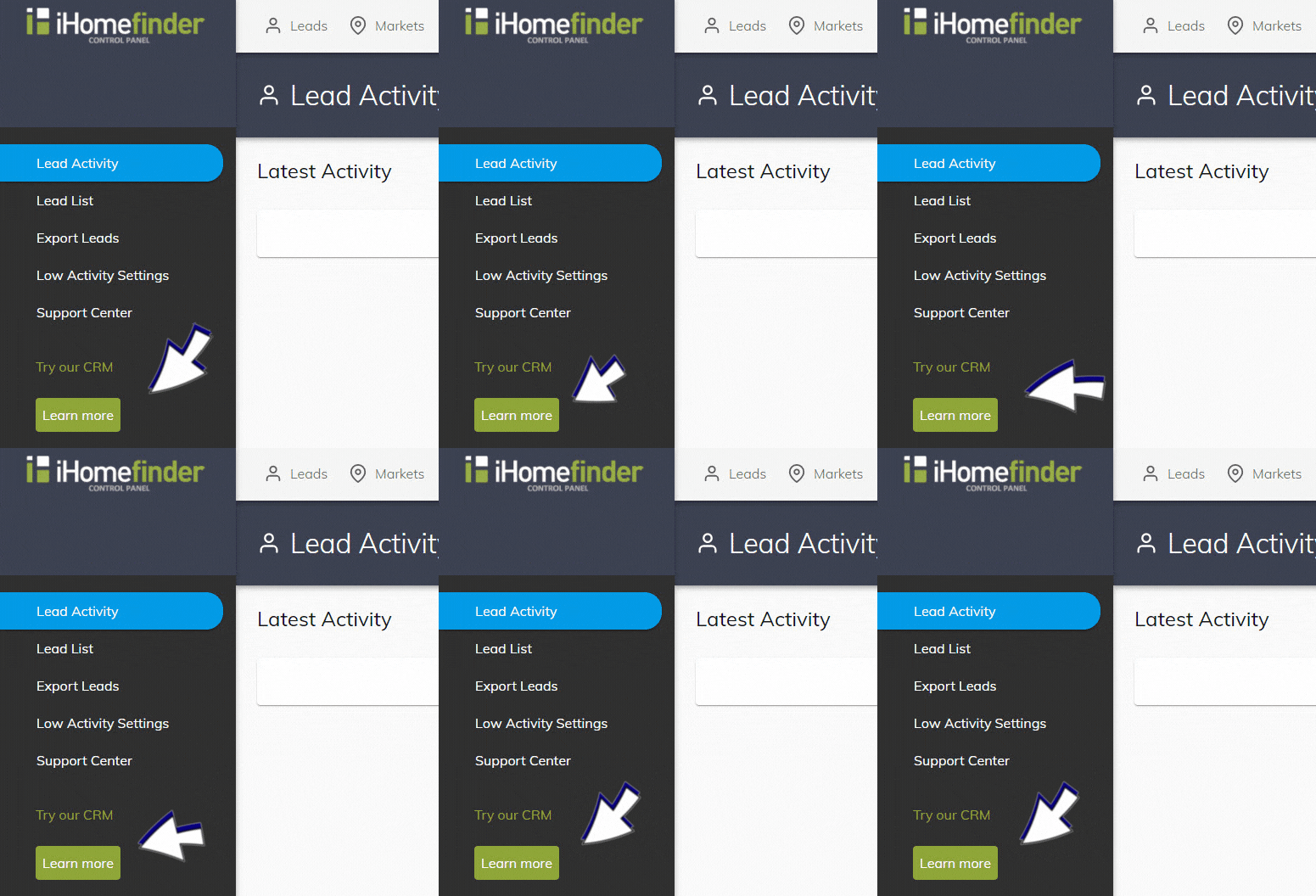
If you have an agent account plan, you can activate the CRM in your IDX Control Panel (shown below). Underneath “Try our CRM”, select the green “Learn more” button. Once activated, you can use the CRM without charge for 2 weeks.
Watch A Webinar
Save your spot for our next monthly webinar for an introduction to iHomefinder account features and benefits, or watch a recording.
Support
Our Support Center is full of resources like our searchable Knowledge Base and training webinars to help you get the most value from your account.
Contact Us
Send us your questions, we’re here to help!
Recent Articles
[av_postslider link=’category,723,722′ wc_prod_visible=” prod_order_by=” prod_order=” date_filter=” date_filter_start=” date_filter_end=” date_filter_format=’yy/mm/dd’ items=’-1′ offset=’0′ contents=’excerpt’ columns=’5′ preview_mode=’auto’ image_size=’portfolio’ autoplay=’no’ interval=’5′ alb_description=” id=” custom_class=” av_uid=’av-kijk506k’]