

The benefits of your IDX website should be exploited through as many marketing channels as possible to grow your business, and this includes social media. Real estate agents have found lots of creative ways to use social media to build a following and attract new clients. A social media strategy should be part of every agent’s business, and you’ll find plenty of tips online to help you get started. You can make a difference by spending just 15 minutes a day on Facebook, and we have some great ideas for your social media posts you can start using right away.
Sharing links to listings and market information on your IDX website is a great way to supplement your other social media content. Each post gives you the opportunity to add some fresh insights and comments that help build your personal brand as a knowledgeable local expert. You might even turn some of your visitors into registered leads through the lead capture features on your website.
You might also explore some of the online services that can push your posts for you on a schedule. All you have to do is set up the content of your posts in advance and let the service take care of the rest.
Let’s look at some examples of your IDX website content you can easily promote on social media to build a following.
Share Your Featured Listings
You can bring more attention to your own active listings by sharing a link to your Featured Listings page or a link to a custom page or blog post with a Featured Listing gallery. Our article about Featured Listings covers everything you need to know.
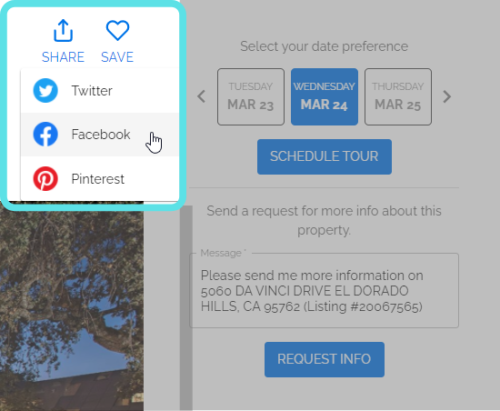
If you have an individual Featured Listing you’d like to share, you can use the sharing option that’s provided in the Property Details page, shown below.
Share Market Information
Consumers always want to know what happening in the local market, even if they’re not looking to move. Your IDX website is equipped to share market information for locations you choose. You can isolate the neighborhoods, communities, condo towers, or any other type location and property types to feature on your website. These saved searches you create in your account are called “Markets”.
Markets In Standard Account Plans
When you create a Market in your iHomefinder account, it produces a dynamic IDX page for your website that displays the active and sold listings for the location and other criteria you selected in the saved search.
Markets In Premium & Prime Account Plans
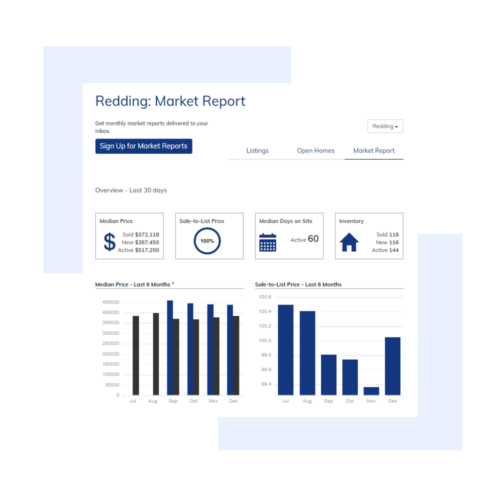
If you have a Premium or Prime account with MarketBoost, each market you create provides a page with 3 report tabs for Listings, Open Homes, and Market Report. Each report has a unique link, although sharing any one of the three links will provide access to the other two reports for the Market. Each Market report page also has an option to sign up for email reports, providing you with new lead registrations.
Blog Posts
Our hosted IDX website plans with our CRM option include monthly blog posts with national real estate market updates that buyers and sellers love. These blog posts are also excellent for attracting visitors through links on social media, and they help further position you as a knowledgeable expert. Of course if you’re publishing your own blog posts, those can be shared on social media as well.
Resources
Schedule A Demo
Reserve a personal 15-minute demo & consultation with an account executive.
Free Trial
If you don’t have an iHomefinder account, start your 30-day free trial which includes our Agent CRM and Optima Leads, our mobile app for agents.
Upgrade Your Account
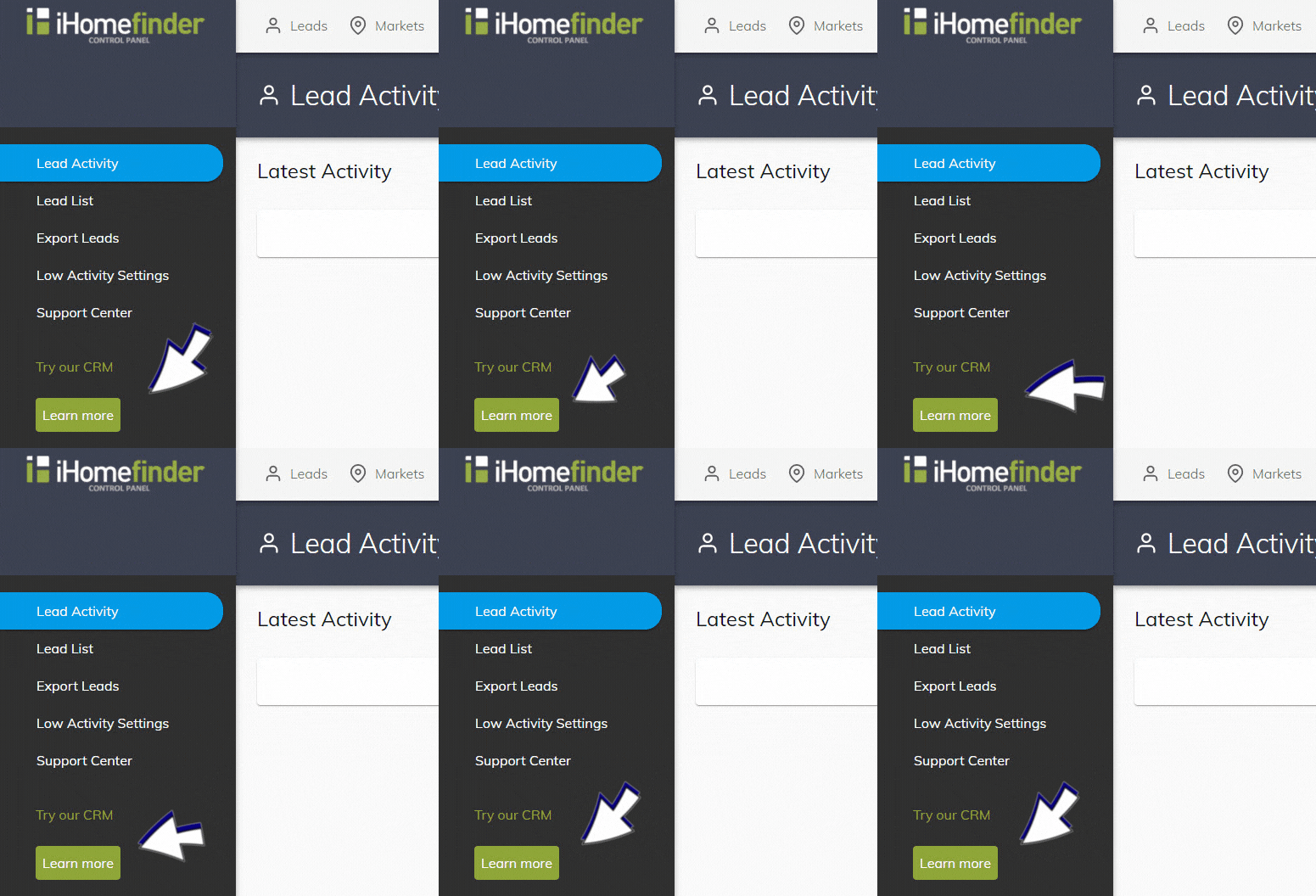
If you have an agent account plan, you can activate the CRM in your IDX Control Panel (shown below). Underneath “Try our CRM”, select the green “Learn more” button. Once activated, you can use the CRM without charge for 2 weeks.
Webinars
Save your spot for our next monthly webinar for an introduction to iHomefinder account features and benefits, or watch a recording.
Support
Our Support Center is full of resources like our searchable Knowledge Base and training webinars to help you get the most value from your account.
Contact Us
Send us your questions, we’re here to help!
Recent Articles
[av_postslider link=’category,723,722′ wc_prod_visible=” prod_order_by=” prod_order=” date_filter=” date_filter_start=” date_filter_end=” date_filter_format=’yy/mm/dd’ items=’-1′ offset=’0′ contents=’excerpt’ columns=’5′ preview_mode=’auto’ image_size=’portfolio’ autoplay=’no’ interval=’5′ alb_description=” id=” custom_class=” av_uid=’av-kijk506k’]